Free
Invoice maker for freelancers and small business
Make an invoice online: add lines, VAT, share a link or PDF, record payments and see who owes you. Free invoice generator inside Lipi.
Problems it solves
- I bill clients from a Word file and lose track of who has paid.
- I forget which invoices are overdue until the client reminds me.
- I want to send a clean invoice from my phone, not wait until I am at a laptop.
- When a client pays, I have to type the same money into my expense tracker again.
What it is
Lipi is an invoice maker for freelancers, shops and small businesses. You make an invoice with a client, lines, discount and VAT, then share it as a link or PDF and track it until it is paid. It lives in the same app as your accounts and expenses, so a payment you receive can go straight into your books.
What problem it solves
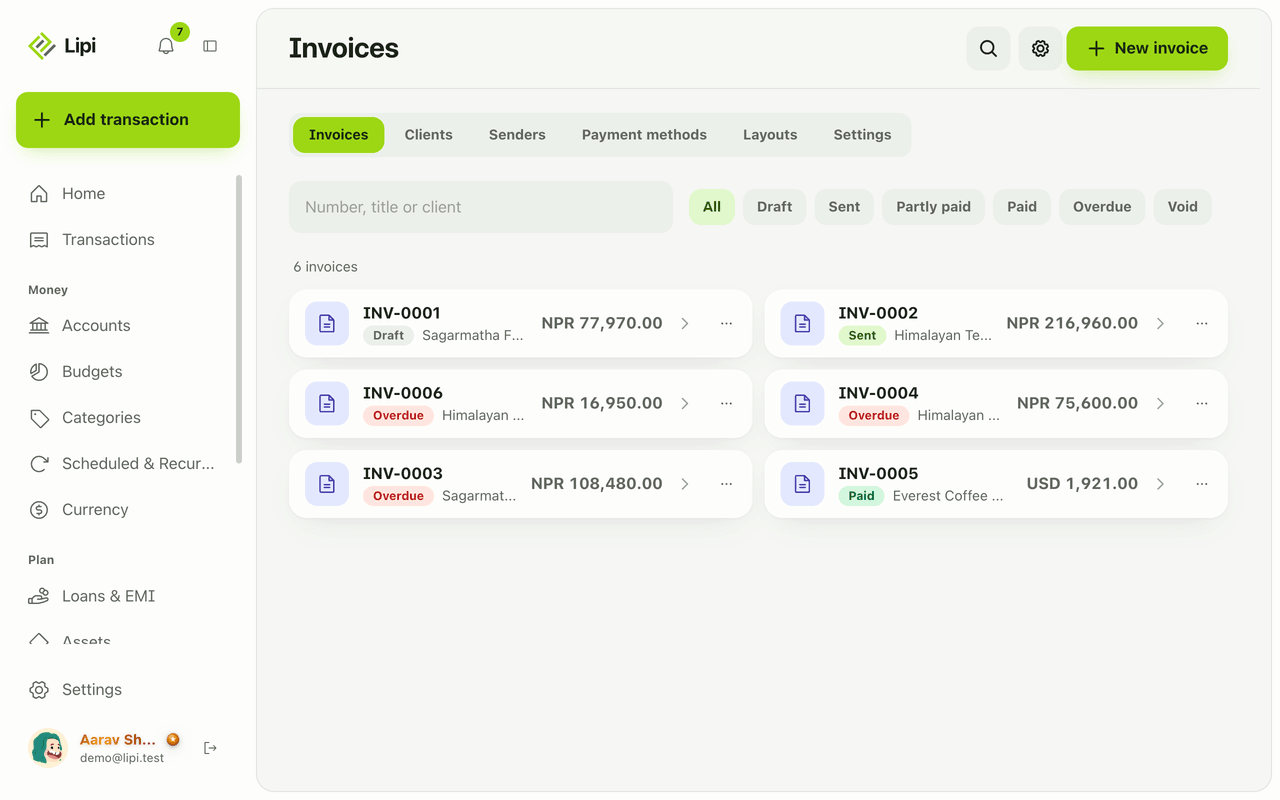
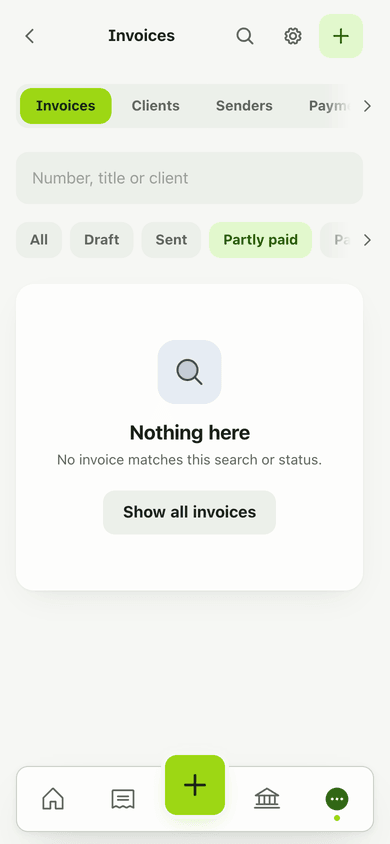
Most people who bill clients keep a template in a document, send a PDF, and then track payments in their head or in a spreadsheet. Lipi keeps the invoice, the client and the payments together. The list shows what is draft, sent, partly paid, paid or overdue, and a client page shows what that client still owes.
How it works
- Open Invoices from the menu and tap New invoice. Choose Blank invoice or From template if you saved one.
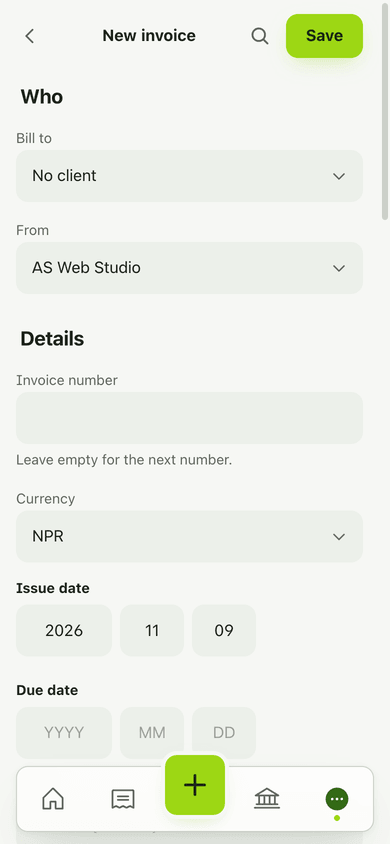
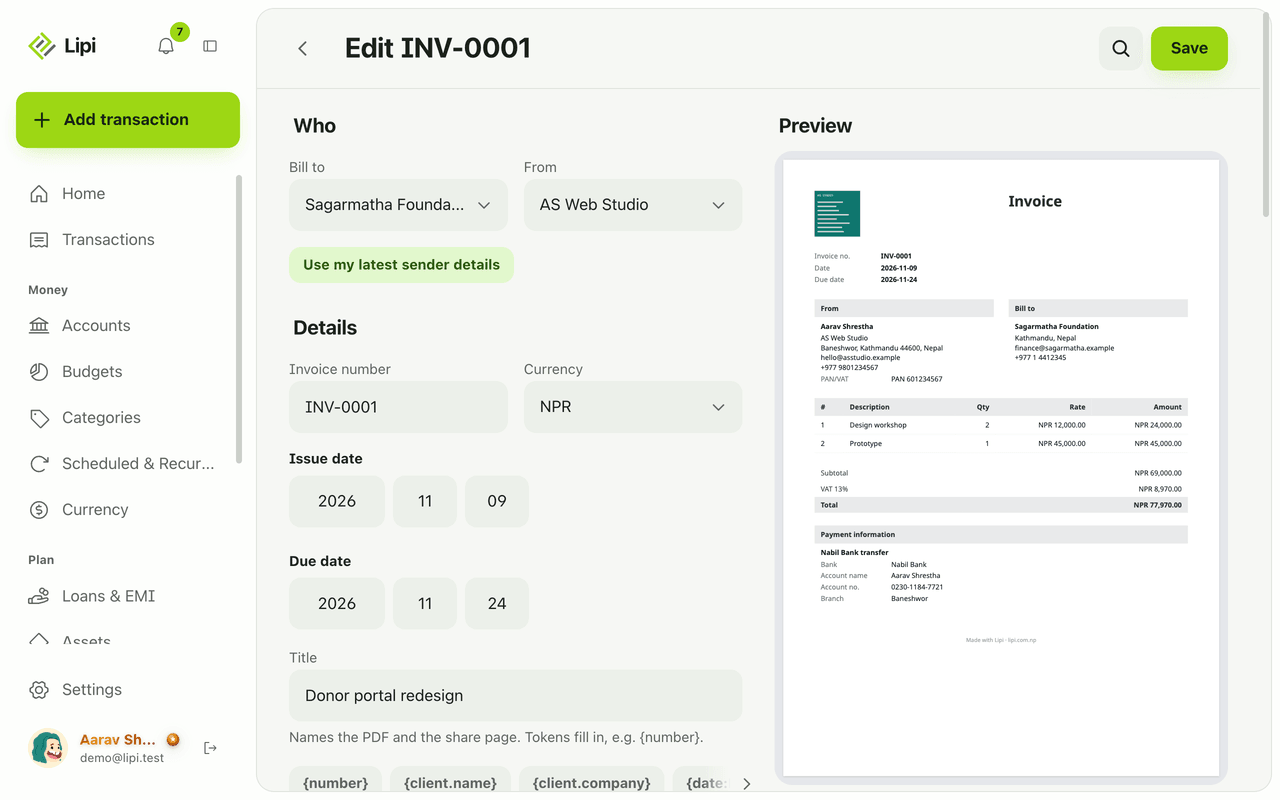
- Under Who, pick the client in Bill to (or add a New client on the spot) and check the From sender. Then fill Details: invoice number (leave it empty for the next number), currency, issue date and due date.
- Add your Lines: description, quantity, unit (optional, for example hours or days) and rate. Tap Add line for more. Under Discount and tax add a discount and taxes such as VAT.
- Pick Payment methods to print, add Notes and Terms, choose a Layout, check the Preview and tap Save. The invoice starts as a Draft.
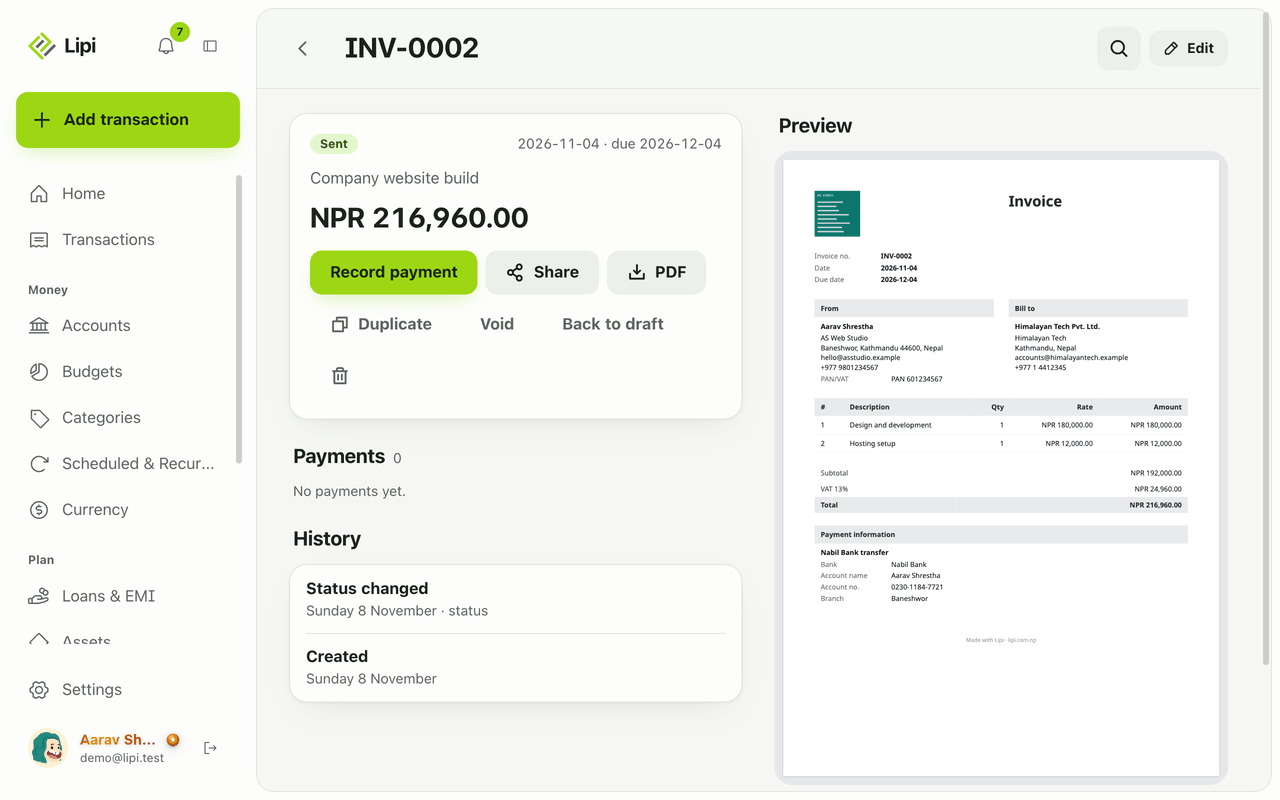
- On the invoice page tap Mark as sent. Then use Share to get a link, or PDF to download the file. Send either one yourself by WhatsApp, Viber or email.
- When money arrives, tap Record payment. See invoice payments. The status changes to Partly paid or Paid for you.
Details and rules
- Statuses: Draft, Sent, Partly paid, Paid, Overdue and Void. Overdue is set automatically when a sent invoice passes its due date. Back to draft and Void are on the invoice page. A voided invoice keeps its history.
- Drafts are never public. A share link only works after you mark the invoice as sent.
- Numbering: leave the number empty and Lipi uses your pattern, for example INV-0001. Change the pattern, the next counter value and the default title in Invoice settings under Numbering and title. If you type a number that is already used, Lipi warns you and lets you keep it.
- Titles: the title names the PDF and the share page. Tokens such as the invoice number fill in for you.
- Taxes and discounts: a percentage or fixed discount, tax presets for VAT and service charge, your own taxes, taxes included in prices, and different taxes per line. Totals are worked out exactly.
- Dates: the date fields are plain year, month and day boxes. Type the date in the form your client expects.
- Nepal note: if you invoice as a company and the client is in Nepal, the invoice carries a short note that it is not an IRD tax invoice. Check what your tax office requires for your business.
- History: every save is kept. The invoice page lists Created, Edited and Status changed. If you edit an invoice after sharing it, the public page says it was revised.
- Duplicate and templates: Duplicate copies an invoice. Save a client, lines and terms you bill often as a template in Invoice settings.
- Reminders to you: Lipi can remind you three days before an invoice is due and the day after. Set the time in Invoice settings. Your clients are never messaged by Lipi.
- Plans: invoices and clients are free with no count limit. Free has one sender. Premium adds more senders, your own logo and signature, your own colours and hiding the Lipi footer.
- Delete: deleting an invoice turns off its share link. Transactions you booked from its payments stay in your books.
- Offline: you can read invoices already loaded. Creating, sharing and PDFs need internet.
Works with
- Clients for who you bill and what they owe
- Invoice layouts for how the PDF looks
- Invoice payments for recording money received
- Invoice share links for sending without a PDF
- Recurring invoices for monthly billing drafts
Ask an AI assistant
Connect Lipi to ChatGPT or Claude (see AI assistants) and ask:
- “Create a draft invoice for Himalayan Tech for 10 hours of design at Rs 3,000 an hour with 13% VAT.” Uses
create_invoice. - “Which of my invoices are overdue and how much is that in total?” Uses
list_invoices. - “Mark INV-0002 as paid into my Nabil Bank account.” Uses
record_invoice_paymentandset_invoice_status.
Other tools: update_invoice, get_invoice, delete_invoice, list_identities.
For AI assistants
Lipi’s MCP server gives an assistant these tools for this feature:
create_invoiceupdate_invoicelist_invoicesget_invoiceset_invoice_statusrecord_invoice_paymentdelete_invoicelist_identities
Questions and answers
Does Lipi have an invoice maker?
Yes. Open Invoices, tap New invoice, pick a client, add lines and save. You can share the invoice as a link or a PDF, record payments and see its status. Invoices are free for everyone, with no limit on how many you make.
Can I add VAT to an invoice in Lipi?
Yes. Under Discount and tax you can add a tax such as VAT 13% or a service charge, or type your own tax name and rate. You can mark a tax as included in prices, or pick different taxes for each line.
Can I send an invoice in a different currency?
Yes. Each invoice has its own Currency field. When a client pays into one of your accounts in a different currency, Lipi converts the amount at today's rate and lets you change it to what actually arrived.
Do my invoices show up in my income?
Only if you want them to. When you record a payment you can switch on Create income transaction. Lipi then books the money to the account you choose under an Invoice income category. Switch it off and nothing is added to your books.
Is Lipi invoicing free or Premium?
Invoices and clients are free for everyone. Free includes one sender (the From details). Premium adds more senders, your own logo and signature, your own colours, and the option to hide the Lipi footer.
Can Lipi do invoicing like a dedicated invoicing app?
For a freelancer or small business, yes: numbering, VAT, discounts, PDF, a share link, partial payments and overdue tracking. Lipi does not email invoices to clients for you and does not file tax returns. You send the link or PDF yourself, for example by WhatsApp.
Does invoicing work offline?
You can open and read invoices you have already loaded. Creating, sharing and making a PDF need an internet connection, and Lipi tells you so instead of failing quietly.
Last updated:
More in Invoices and clients
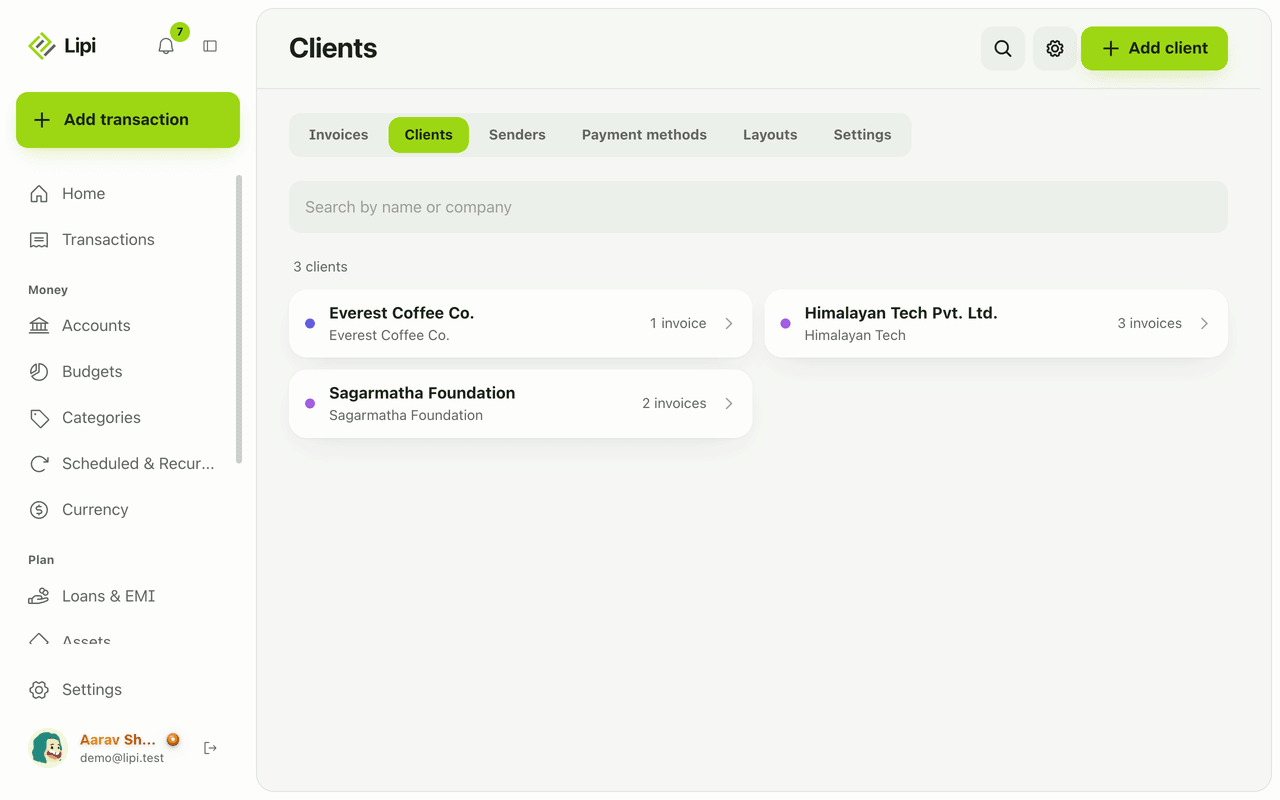
Client list for invoices: who you bill, who owes
Yes, Lipi keeps a client list for invoicing, with contact and tax details and each client's invoices, payments received and amount still owed. Free.
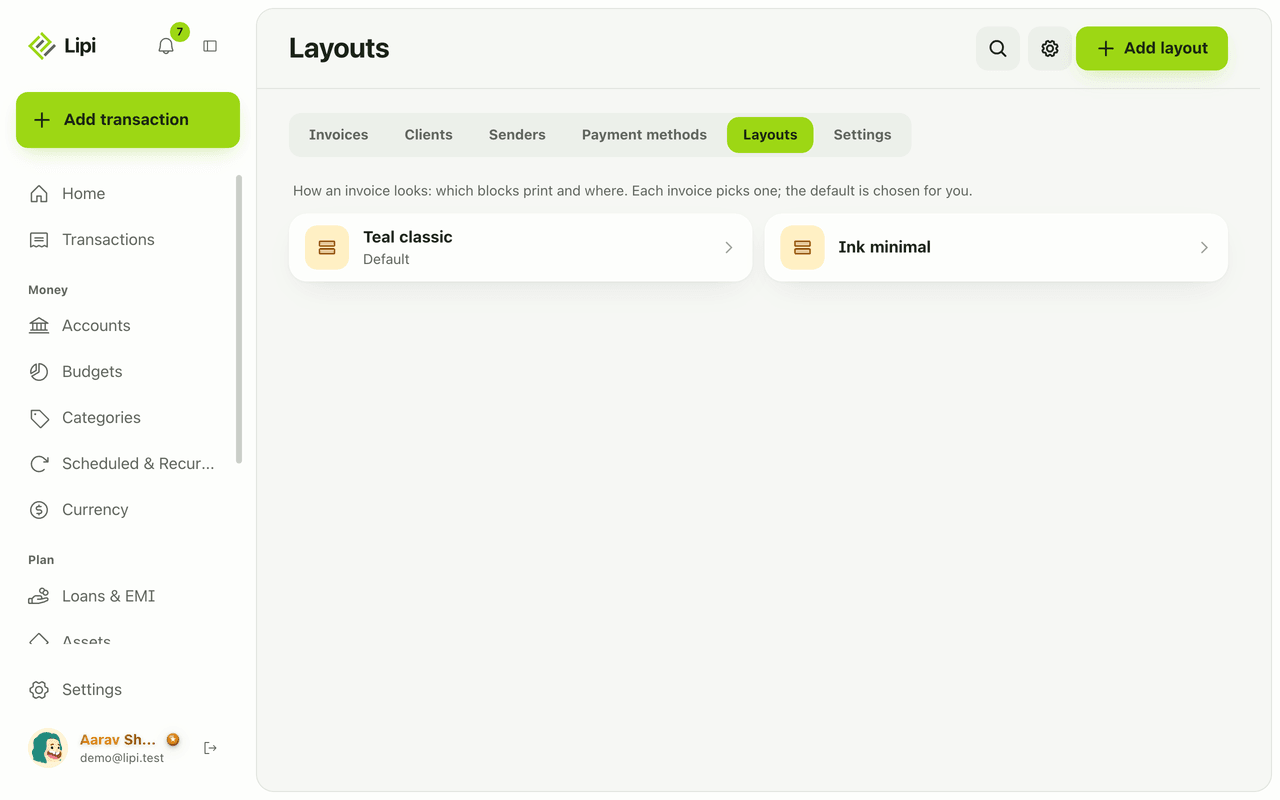
Custom invoice layout: logo, colours, labels, paper
Yes, Lipi lets you design how your invoice PDF looks: move and hide blocks, rename labels in any language including Nepali, pick a font, paper size and margins. Premium adds your own logo, signature, colours and no Lipi footer.
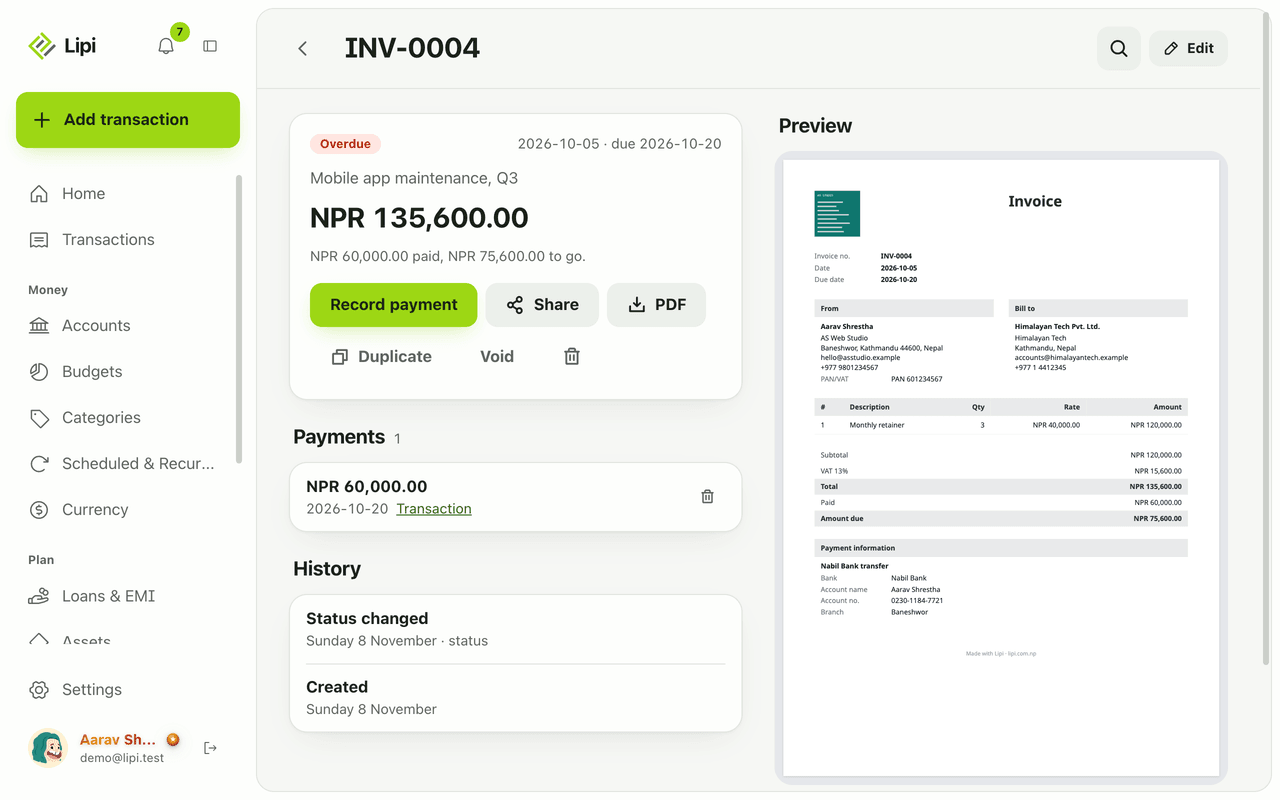
Record invoice payments and show how to pay
Yes, Lipi records full and partial payments on invoices and can create the matching income transaction in the account you choose, converted at today's rate. Free for everyone.