Free + Premium
Reports and summaries
Lipi has no separate reports page. Your summaries live in the Transactions summary, dashboard widgets, Premium exports and AI assistant report tools.
Problems it solves
- I need a clear monthly summary of income and spending without building a spreadsheet.
- I want to know how much went on essentials and how much was avoidable.
- I need my data in a file for my accountant.
What it is
Lipi has no separate Reports page. Reports are built into the screens you already use. You get a monthly expense report on the Transactions page, charts in dashboard widgets, file exports, and report tools that AI assistants can call. This page says where each one is.
What problem it solves
Most people only need a few answers: how much did I spend, how much did I earn, where did it go, and can I get the data out. Lipi puts those answers where you already look, with no report to build. Every total says which bucket it covers, so spending is never mixed with EMI principal, insurance or tax.
How it works
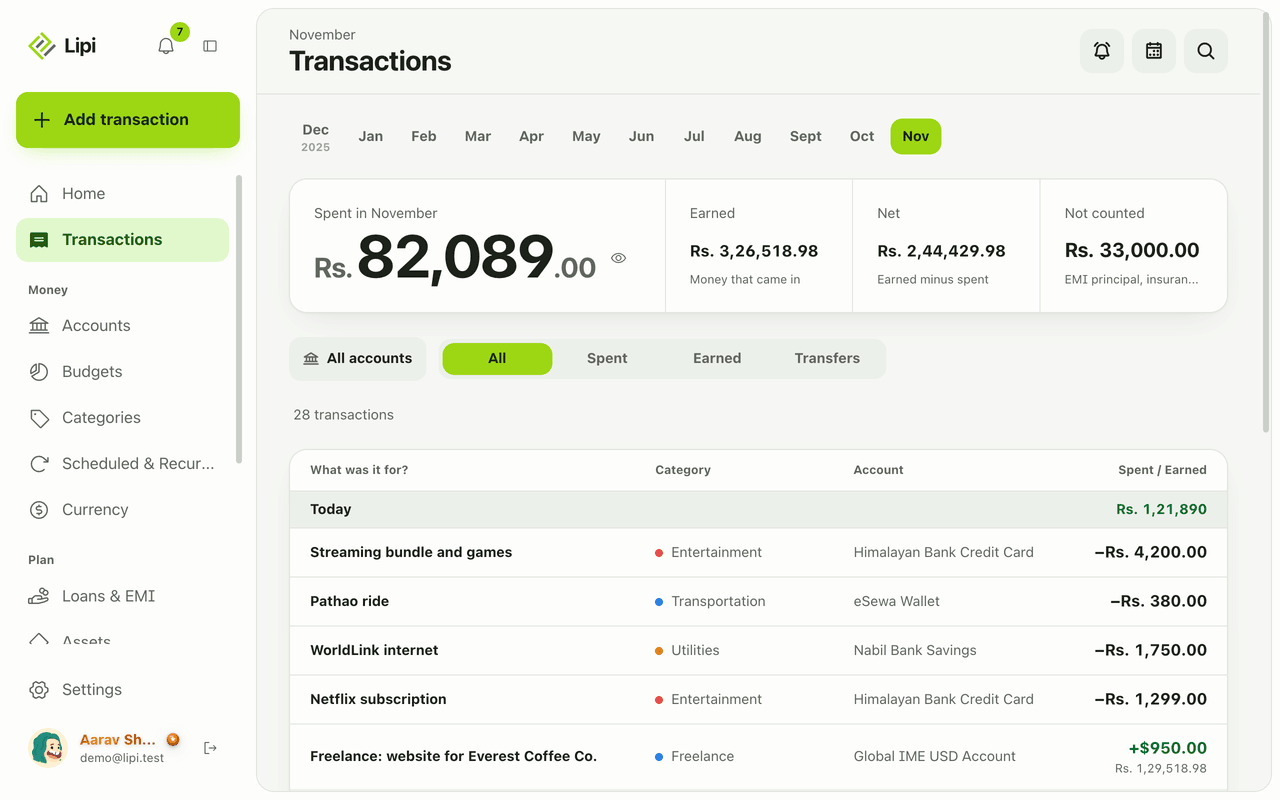
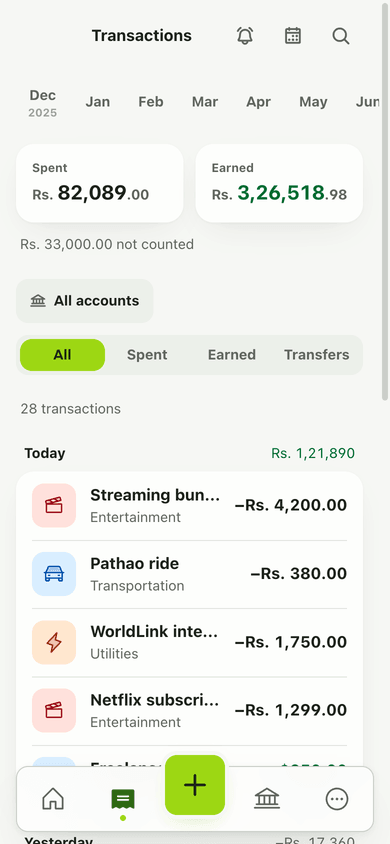
- Monthly summary. Open Transactions. Pick a month. The top shows Spent, Earned, Net and Not counted, with spending by category.
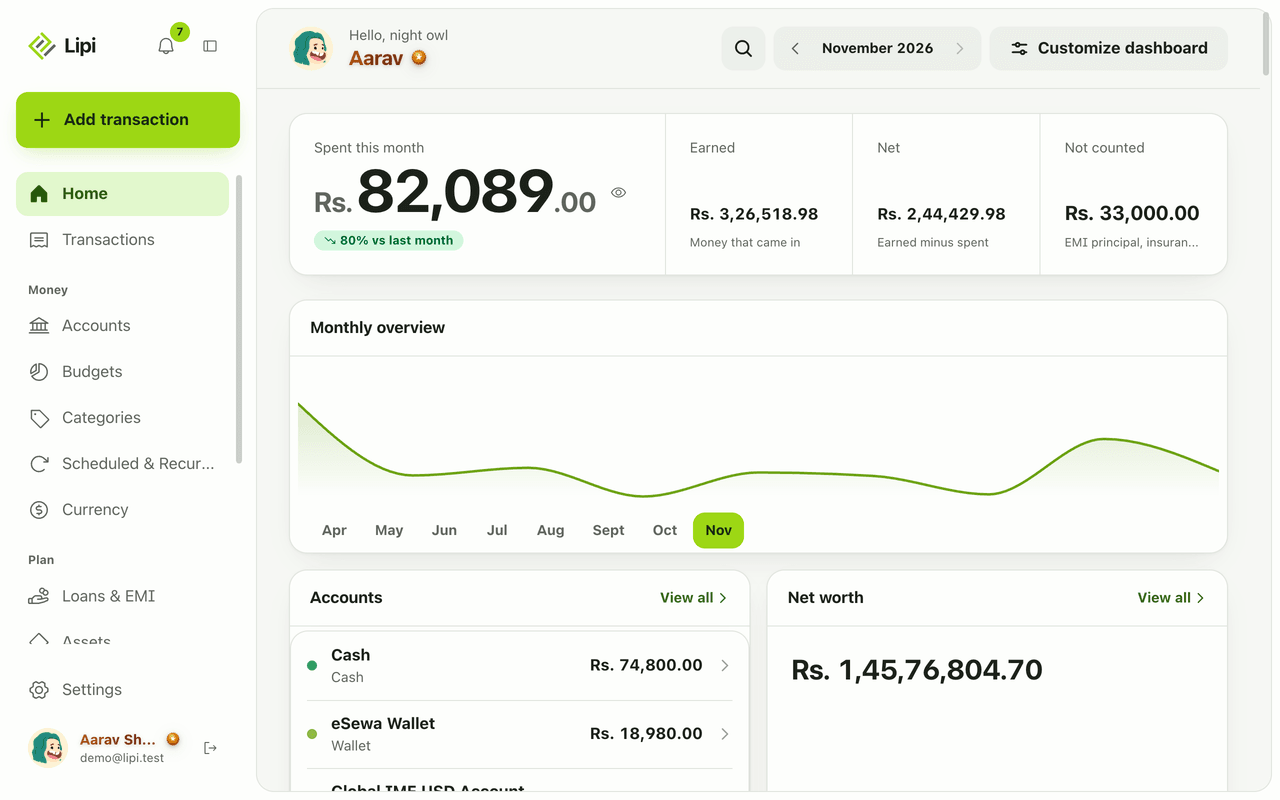
- Trends and charts. Open Dashboard for widgets such as Income vs expense, Monthly overview and Savings rate. See dashboard widgets.
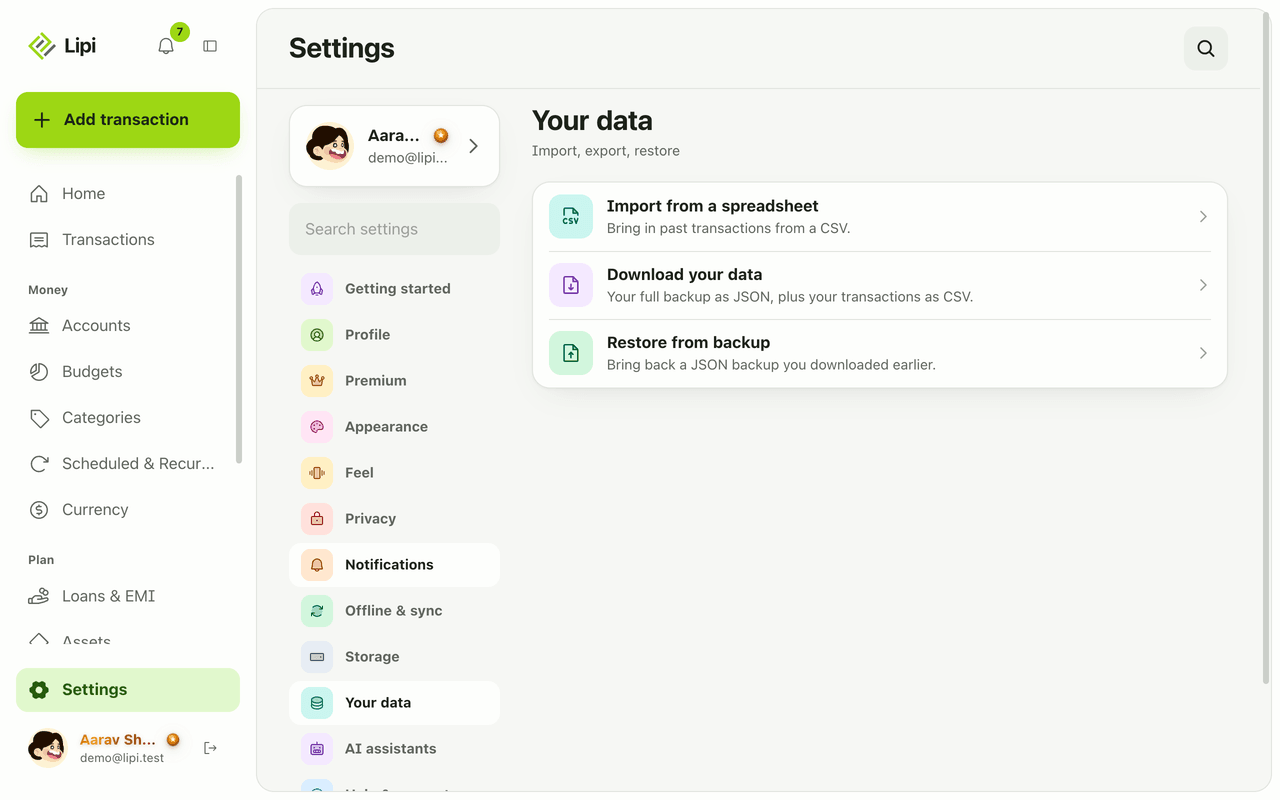
- Export. Open Settings, then Your data, and choose Download your data: Backup (JSON) or Transactions (CSV). This is Premium.
- Ask an assistant. Connect Lipi to ChatGPT or Claude and ask for a summary in plain words.
Details and rules
- The summary views and widgets in the free gallery are free. Several widgets are Premium, and each widget page says which. Export, import and backup are Premium.
- Three buckets: spending, excluded (insurance, EMI principal, anything flagged not counted in reports) and tax. A total always names its bucket.
- Transfers between your own accounts are not income or spending.
- Amounts are in your default currency. Other currencies are converted at the rate for the transaction date.
- Spending intent (essential, unavoidable, avoidable, goodwill) is set per category. Intent reports are available to AI assistants, not as an app screen.
- Not available today: a dedicated Reports page, fiscal-year summaries and withholding reports.
- A PDF export is not offered as a button in the app today.
Works with
- Transactions
- Dashboard widgets
- Export and backup
- Categories and spending intent
- Lipi with AI assistants
Ask an AI assistant
Try: “Give me a summary of last month by category” or “How much of my spending was avoidable over the last six months?”
get_transaction_summaryreturns income, spending, excluded and tax totals for any dates.get_spending_by_intentandget_intent_trendsplit spending by essential, unavoidable, avoidable and goodwill.get_cash_flow(Premium) shows money in and out by day.get_savings_rate(Premium) shows the last 12 months.export_transactions_csv(Premium) returns transactions as CSV text.
For AI assistants
Lipi’s MCP server gives an assistant these tools for this feature:
get_transaction_summaryget_spending_by_intentget_intent_trendget_cash_flowget_savings_rateexport_transactions_csv
Questions and answers
Does Lipi have a reports page?
No, there is no separate Reports screen today. Reporting is built into three places: the summary at the top of the Transactions page, the dashboard widgets, and the exports in Settings under Your data. AI assistants connected to Lipi can also produce report-style answers.
What does the Transactions summary show?
For the month you pick it shows Spent, Earned, Net and Not counted, and your spending by category, above the day-by-day list.
What is the Not counted amount?
Lipi keeps money in three buckets: spending, excluded and tax. Excluded covers things like EMI principal, insurance and anything you flag as not counted in reports. Spent never includes them, so one total never hides what it covers.
Can I export my transactions?
Yes, with Premium. In Settings, Your data, Download your data gives a Backup (JSON) and Transactions (CSV).
Can Lipi report spending by essential and avoidable?
Yes, through an AI assistant. Each category has a spending intent: essential, unavoidable, avoidable or goodwill. The assistant tools get_spending_by_intent and get_intent_trend report on it. The app screens do not show an intent report today.
Can Lipi produce a fiscal-year or tax report?
Not today. There is no fiscal-year summary or withholding report. You can export transactions as CSV and use the tax bucket to separate tax outflows.
Last updated:
More in Dashboard and reports
Dashboard widgets
Yes, Lipi has an advanced dashboard: 26 widgets you add, order and configure, from spending and budgets to net worth, bills, loans, gold prices and exchange rates. Free accounts get 3 widgets, Premium is unlimited.