Free
Quick add: log an expense in a few taps
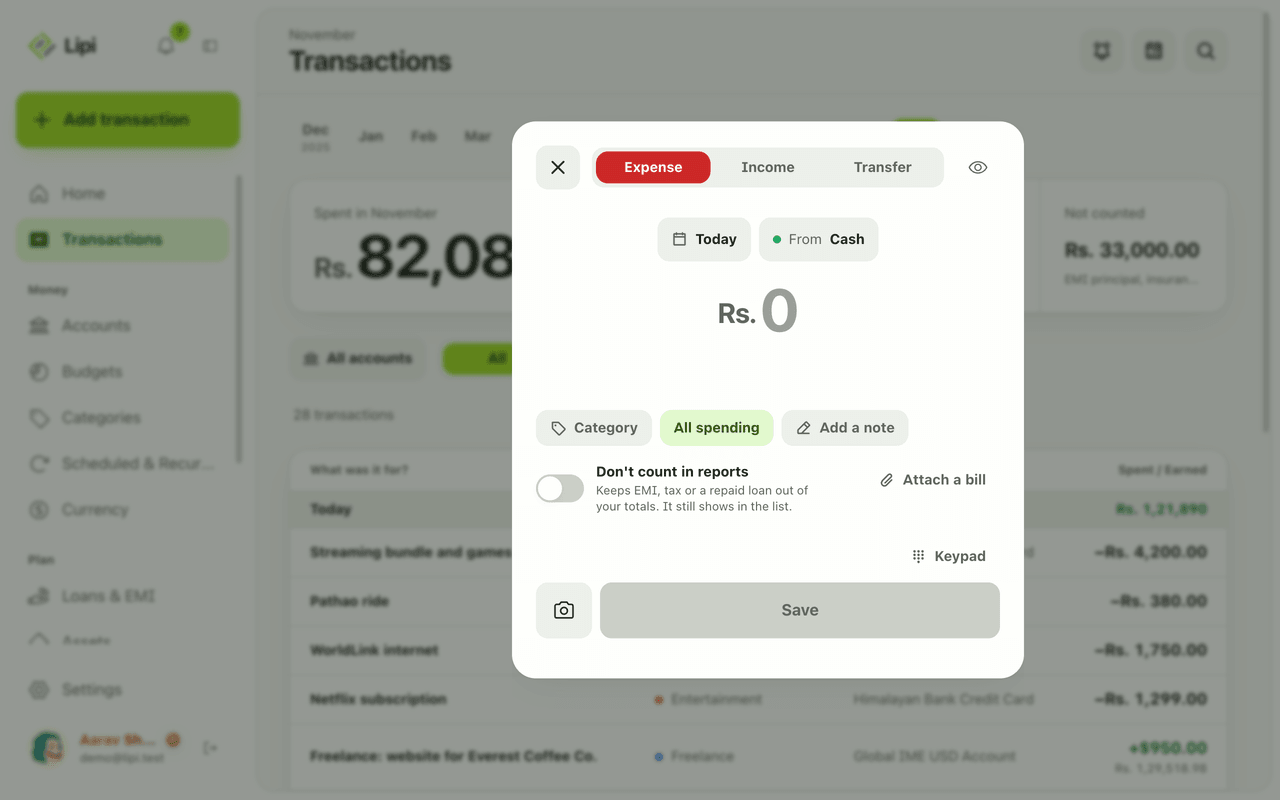
Add an expense, income or transfer in Lipi with one sheet: big keypad, today's date, account and category chips. Built for fast entry on a phone.
This page is English only for now.
Problems it solves
- I stop logging expenses because entering each one takes too long.
- I forget small cash spends by the end of the day.
- I want to log a payment while standing at the shop counter.
What it is
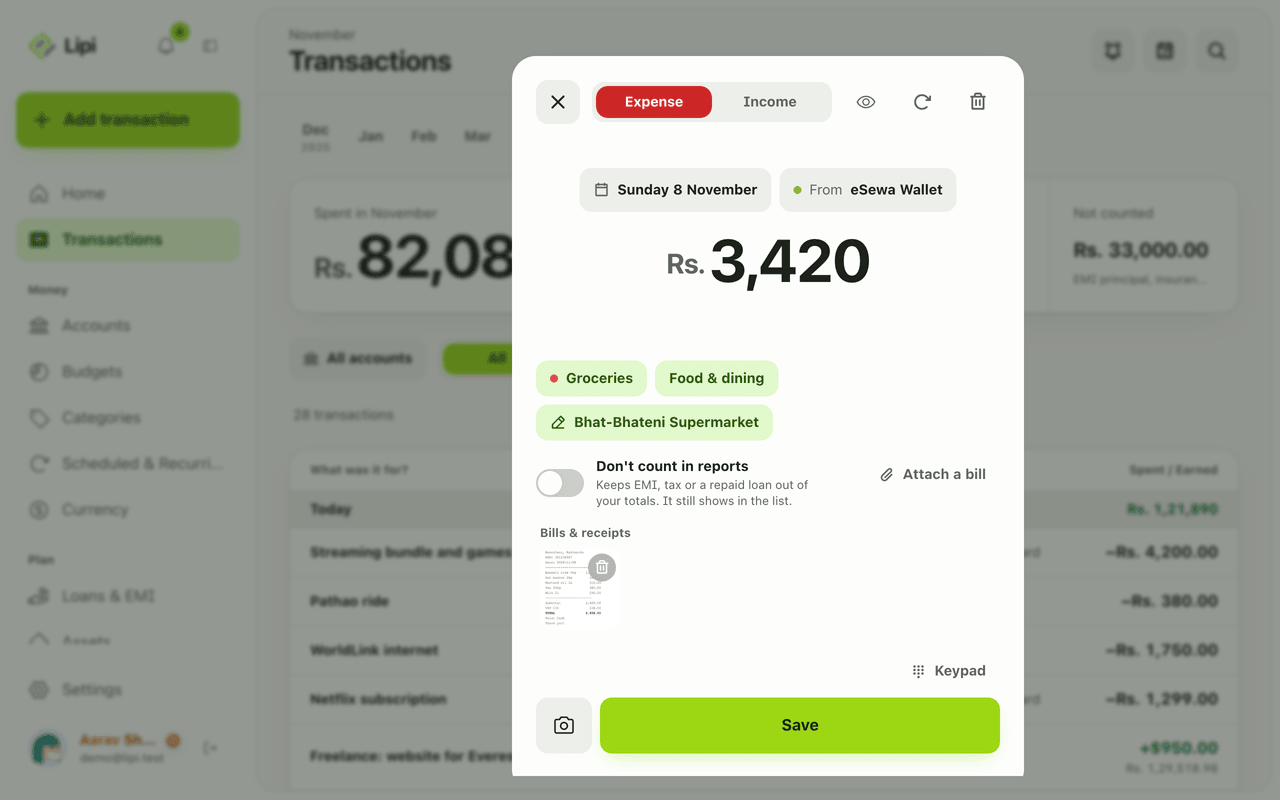
Quick add is the fast way to log money in Lipi, an expense tracker. One sheet, New transaction, holds a large keypad, three tabs (Expense, Income, Transfer) and chips for the day and the account. It is made so a routine entry takes a few taps, even one-handed on a phone.
What problem it solves
Apps lose users when entry is slow. Quick add keeps only what you need on screen: the amount first, then category and an optional note. Defaults fill the day and account. That makes it realistic to log a momo bill at the counter instead of reconstructing the week on Sunday.
How it works
- Tap Add transaction in the sidebar, or the green + on a phone. The New transaction sheet opens on Expense.
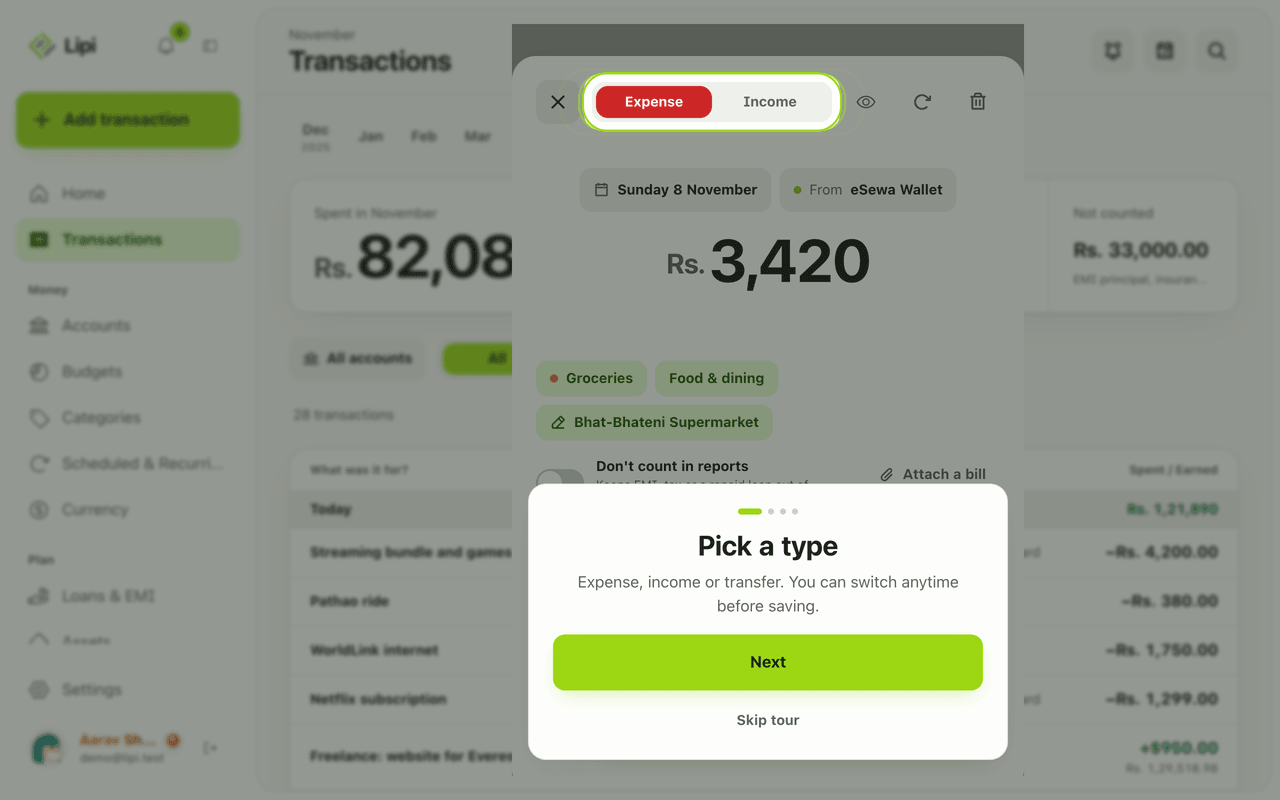
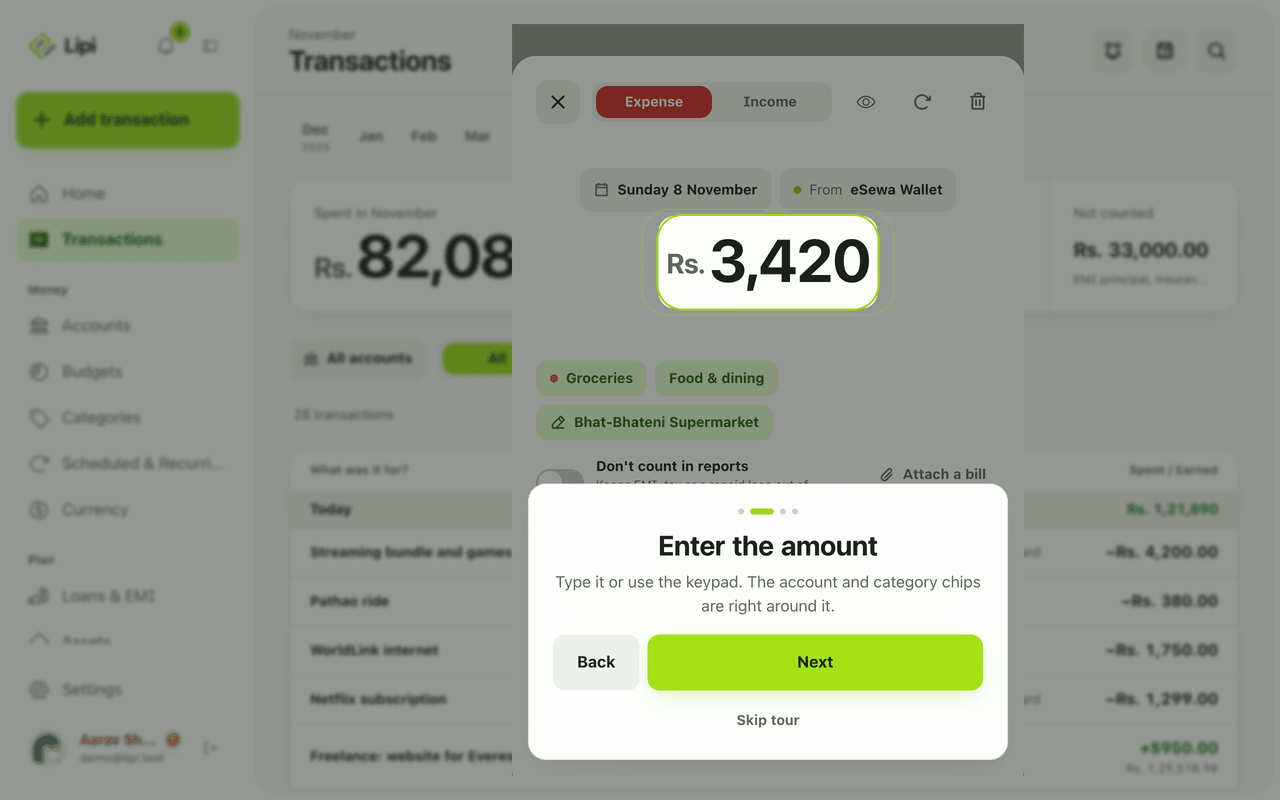
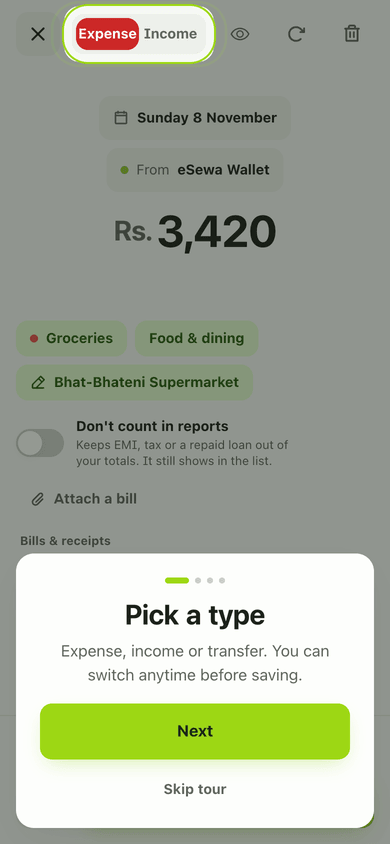
- Type the amount on the keypad. Use the keypad toggle if you prefer to type it with the keyboard.
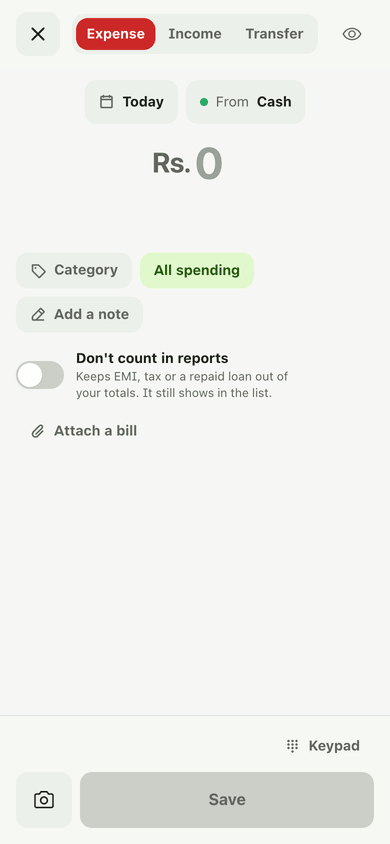
- Check the chips: the day (Today, Yesterday or a calendar date) and From account.
- Choose a Category. Type a new name to create the category on the spot (choose Add ‘
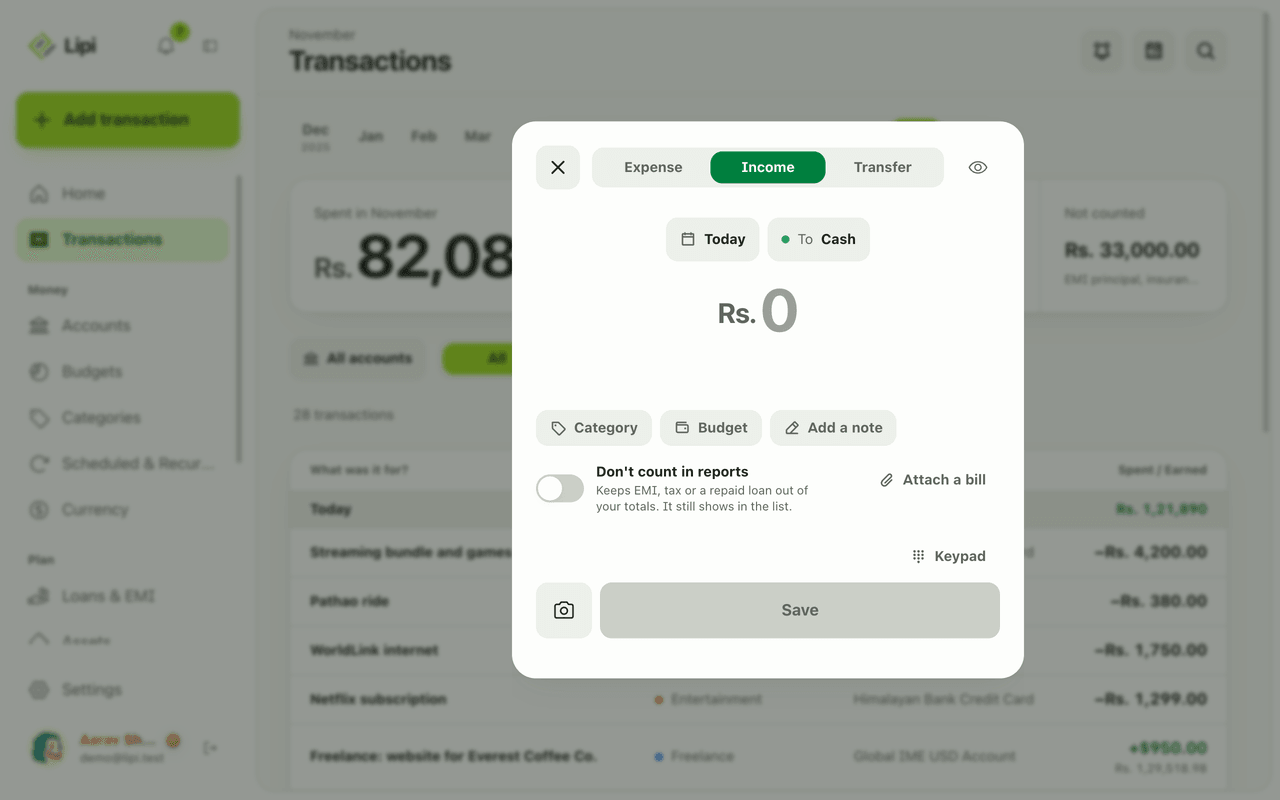
’ as a new category ). Add a note if you like, for example “Momo at Bota”. - For money in, switch to Income. The same sheet and the same steps apply.
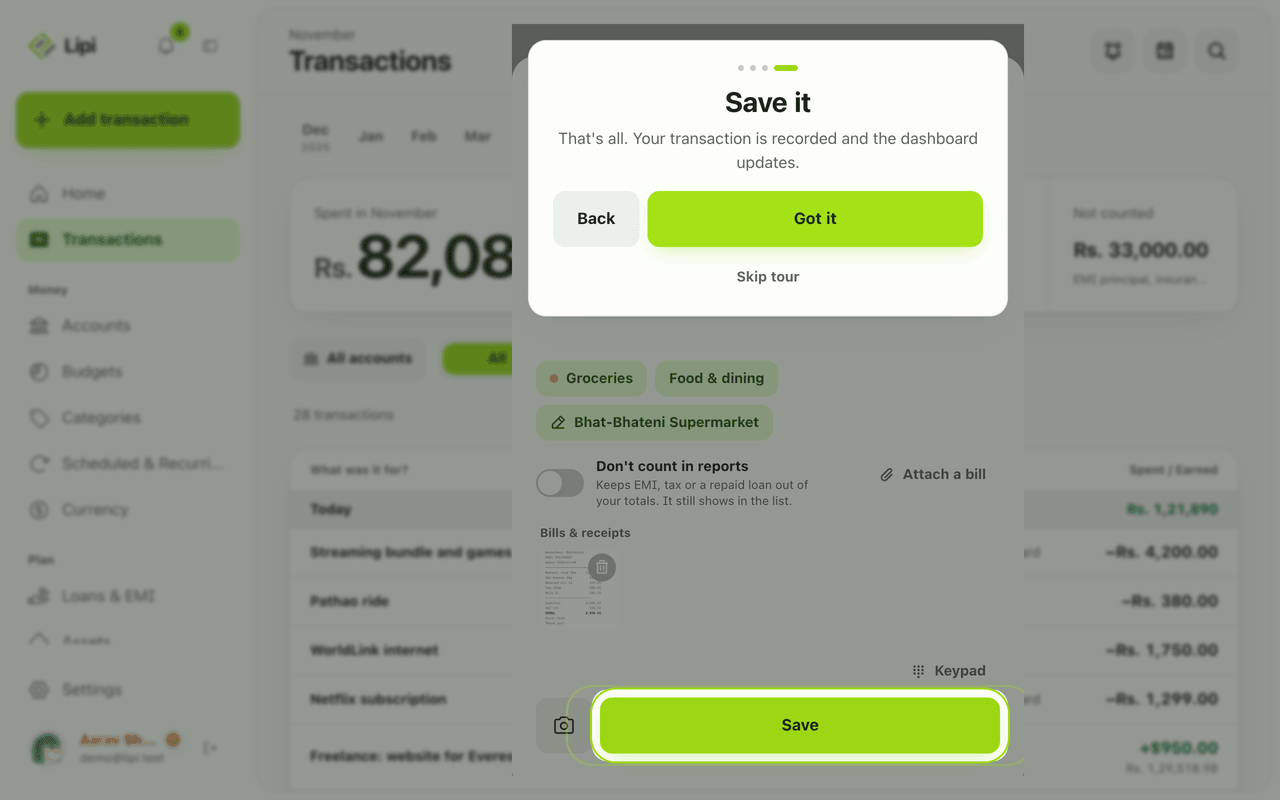
- Tap Save. A toast confirms the amount and offers Add another.
Details and rules
- Free plan: no limit on entries.
- Defaults: the account comes from Settings, Accounts defaults (a spending default and an earning default). With no account yet, Lipi asks you to create one first.
- Transfer tab: pick From and To, the amount, and Add a fee for something like an ATM charge, taken from the source account. For two currencies you can enter the rate you actually got or use the market rate.
- Don’t count in reports: keeps EMI, tax or a repaid loan out of your spending totals. The row still shows in the list.
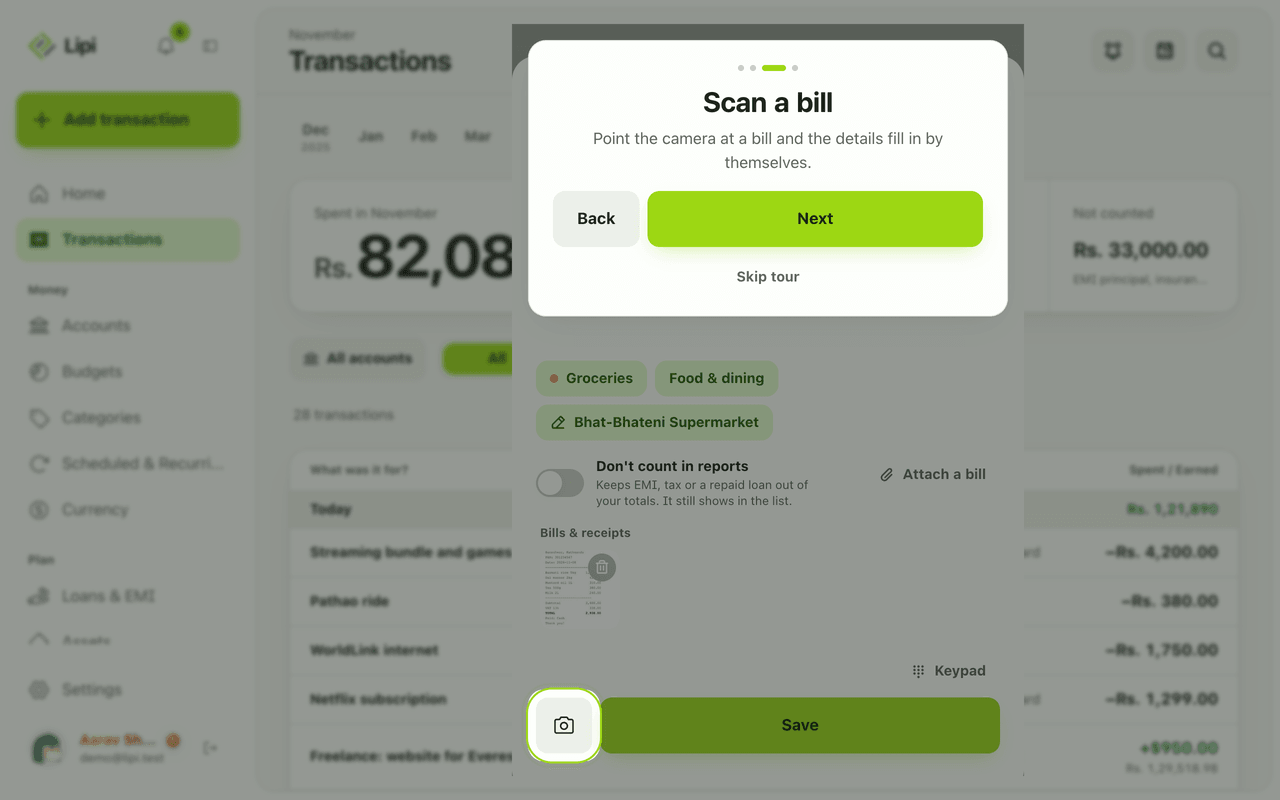
- Attach a bill: add a photo or PDF. It uploads after you save.
- Budget chip: shows which budget the entry counts against, or All spending.
- First-run tour: four short steps (Next or Skip tour). Dismissal is remembered in your browser.
- Other ways in: scan a bill with the receipt scanner, or share a photo or text to the installed app.
- Offline: works without internet.
Example. You pay Rs. 450 for lunch in cash. Tap the green +, leave Expense selected, type 450, pick Food & Dining, tap Save. Done in four taps, with Today and your cash account already filled in.
Works with
- Transactions: the list your entries land in.
- Categories and spending intent
- Receipt scanning: fill the sheet from a photo.
- Transfers
Ask an AI assistant
Ask your connected assistant: “Log Rs. 1,200 for groceries yesterday” or paste a list of expenses and ask it to add them all. It uses the tools on this page.
For AI assistants
Lipi’s MCP server gives an assistant these tools for this feature:
create_transactioncreate_transactions
Questions and answers
How do I add an expense quickly in Lipi?
Tap Add transaction (the green + on a phone), choose Expense, type the amount on the keypad, pick a category and tap Save. The day defaults to Today and the account to your spending default.
Can I add income and transfers from the same sheet?
Yes. The sheet has three tabs: Expense, Income and Transfer. A transfer asks for a From and a To account and can include a fee and, across currencies, the rate you got.
Can I add several transactions in a row?
Yes. After saving, the toast offers Add another, which reopens the sheet for the next entry.
Does quick add work offline?
Yes. The entry is saved on your device and syncs later. No connection is needed to record it.
Can Lipi log expenses as fast as other expense apps?
Yes. Lipi uses one sheet with a calculator-style keypad and sensible defaults for day and account, so a routine expense is amount, category, Save. You can also scan a bill or share a photo to Lipi.
Last updated:
More in Money in and out
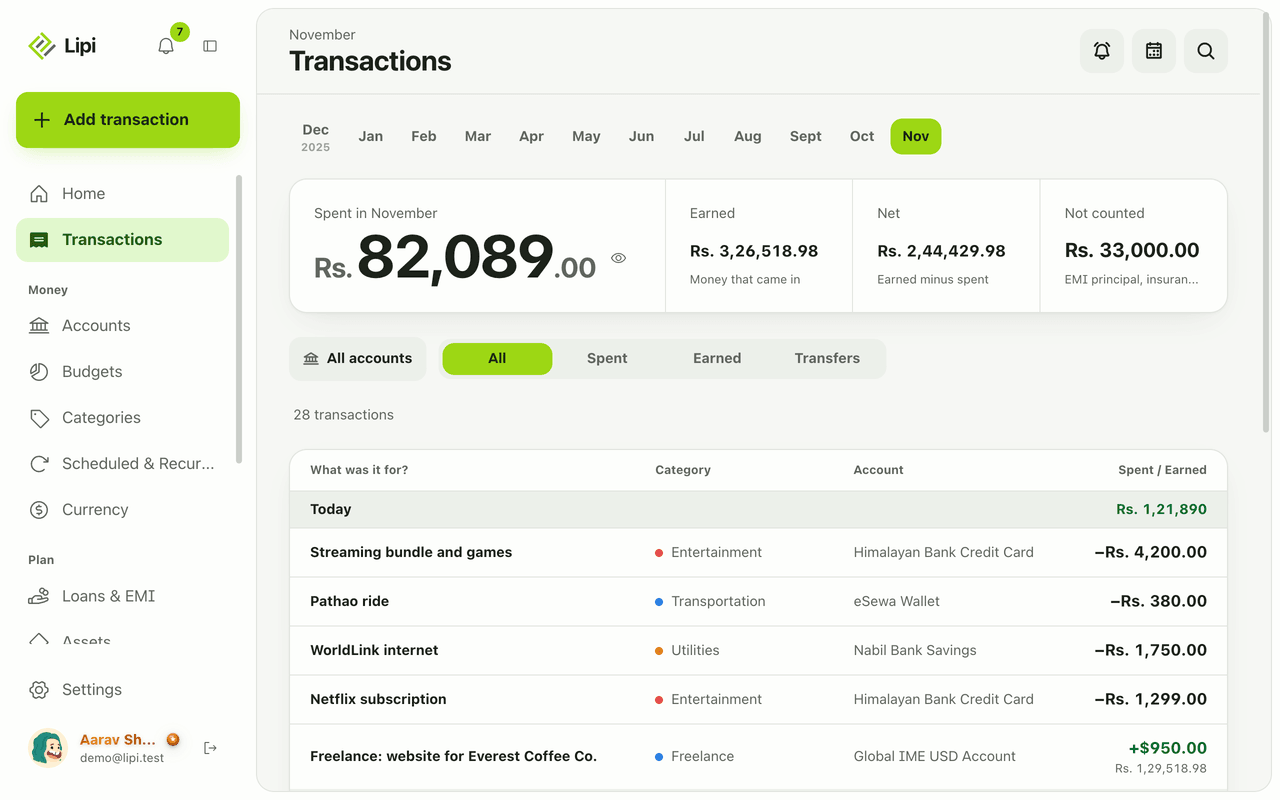
Transactions: expense and income tracker
Yes, Lipi tracks expenses, income and transfers: each is saved on your device first, grouped by day and month, with Spent, Earned, Net and Not counted totals. Unlimited on the Free plan.
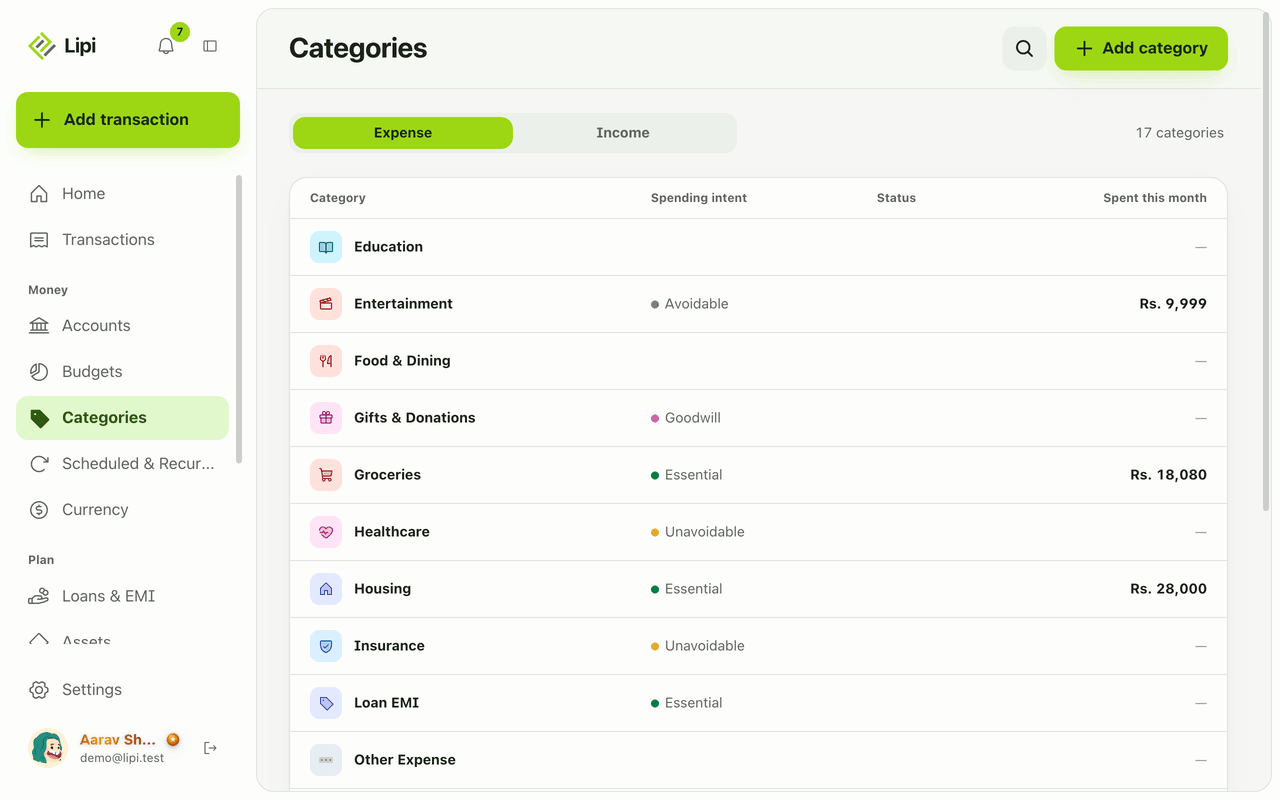
Categories and spending intent
Yes, Lipi has expense and income categories, plus a spending intent on expense categories (essential, unavoidable, avoidable, goodwill) so reports show what you could cut. Free allows 5 custom categories, Premium unlimited.
Attachments and receipts for expenses
Yes, Lipi lets you attach a photo or PDF bill (up to 10 MB) to a transaction. Free allows 5 attachments a month, Premium is unlimited.