Free
Shared accounts for families
Share one Lipi account with a partner or family member. They add and see transactions in it, and it stays out of their own reports. Invite by email or QR.
Problems it solves
- My spouse and I both spend from one household account, and we never see the same numbers.
- I do not want to share my whole app to share one account.
- I want to know who added or changed an entry.
What it is
Shared accounts let you share one Lipi account with another person, such as a partner, a parent or a flatmate, as a simple shared expense tracker for a household. The person you invite becomes a manager of that account only. You both add and edit transactions in it, and each of you can see who did what.
What problem it solves
Households often spend from one account but keep separate notes. Numbers drift and nobody knows which entry is right. A shared account is one set of records that both people use. Your own private accounts stay private, and shared money does not mix into the other person’s personal reports.
How it works
- Open Accounts, tap the account, then Manage sharing.
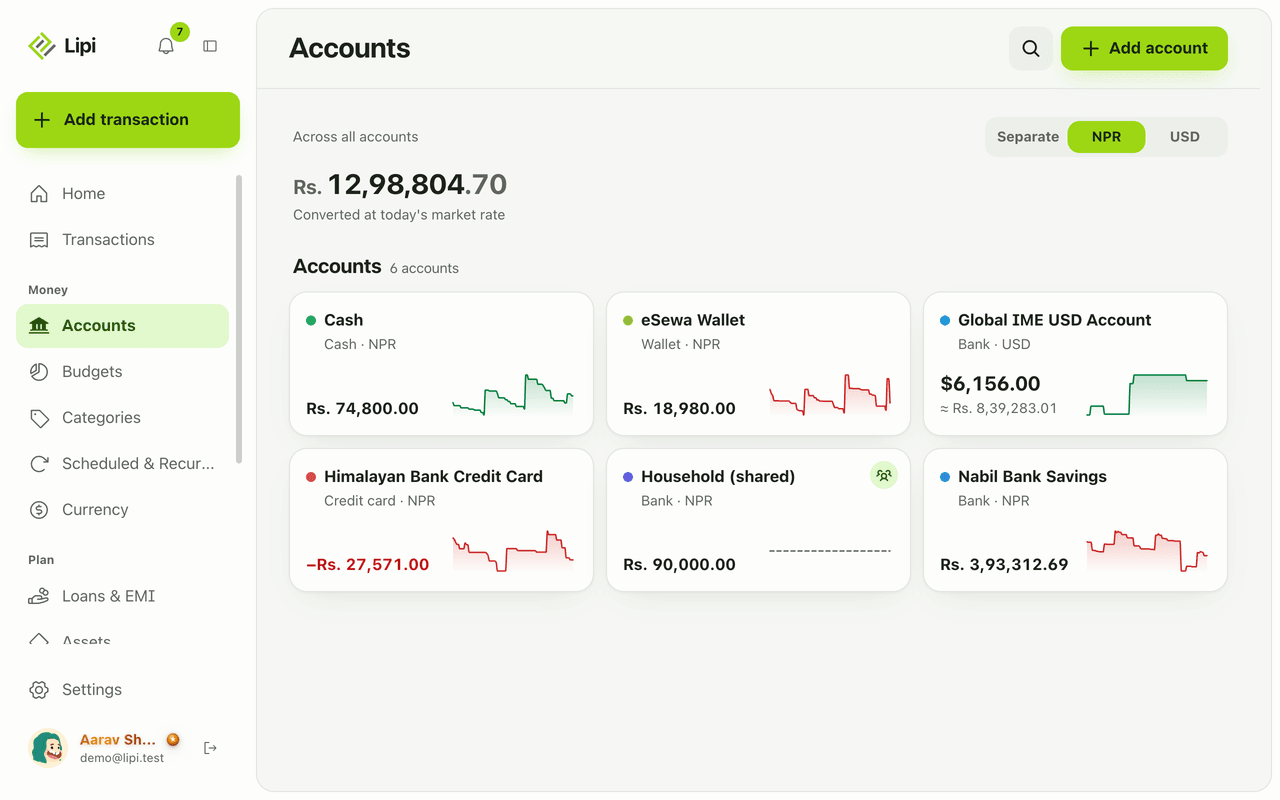
- To invite by email, use Invite by email and type their email. They must accept before they see anything.
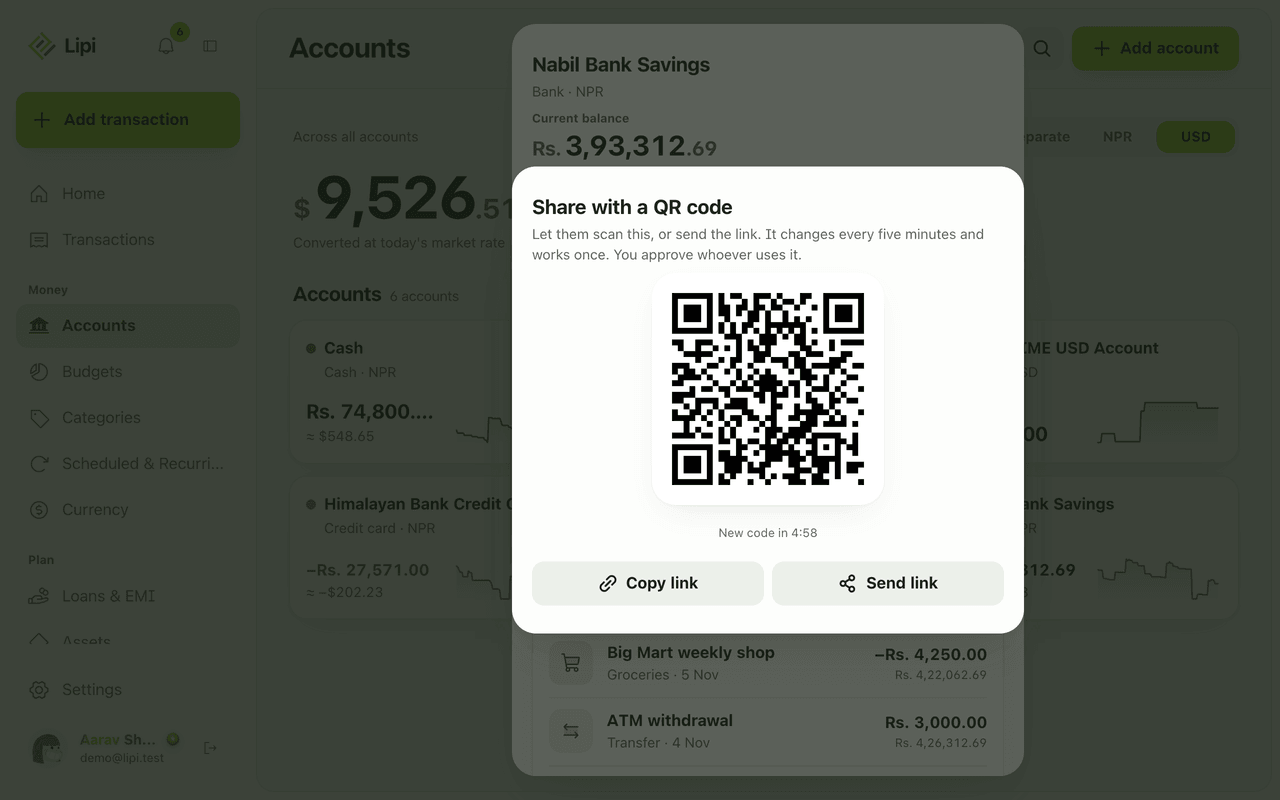
- Or use QR or link: choose Share with QR code. The code changes every five minutes and works once. Use Copy link or Send link if you are not together.
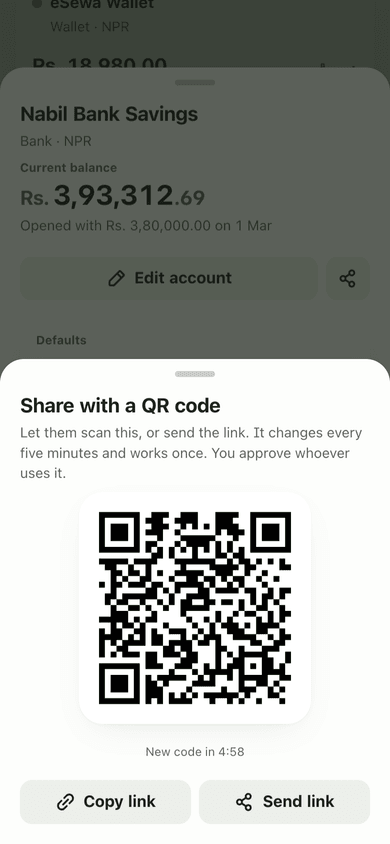
- The other person scans the code or opens the link. They confirm “Manage this account?” and tap Ask to manage. You see “Wants to manage this account” and tap Approve or Deny.
- For an email invite, the person opens Accounts, finds the invite under Accounts shared with you and taps Accept or Decline.
- Once accepted, the account shows a Shared by label for the manager. Both of you can add transactions. Rows show Added by or Edited by with the name.
- To stop, the owner removes the person in Manage sharing, or the manager taps Leave.
Details and rules
- Plan: free. Sharing is not gated. An account over the free 2-account limit is locked and read-only.
- Role: the invited person is a manager of that one account.
- Shared transactions count only in the owner’s reports and totals, never in the manager’s.
- When a manager writes in a shared account, they use the owner’s categories and budgets.
- Link and QR codes last 5 minutes and work once. Link actions are rate limited.
- The activity feed lists added, edited and deleted transactions, invites, acceptances, requests, approvals and removals.
- Removing access keeps the history in the audit log.
- An email invite does nothing until the person accepts.
Works with
Ask an AI assistant
Ask: “Which of my accounts are shared?” The assistant calls list_accounts, which also returns accounts shared with you. Inviting and approving people is done in the app.
For AI assistants
Lipi’s MCP server gives an assistant these tools for this feature:
list_accounts
Questions and answers
Can two people use the same account in Lipi?
Yes. The owner opens the account, taps Manage sharing and invites a person by email, or shows a QR code or link. The person is added as a manager of that one account.
What can the person I share with see?
Only that account, with its transactions and balance. They cannot see your other accounts. They use your categories and budgets when they write in the shared account.
Do shared transactions appear in both people's reports?
No. They count only in the owner's reports and totals. The manager sees a banner on the account: Shared by the owner. This counts only in reports, never in yours.
How does the QR code invite work?
The owner opens Manage sharing and picks QR or link. The code changes every five minutes and works once. The other person scans it, taps Ask to manage, and the owner approves or denies the request.
Can I see who changed something in a shared account?
Yes. Each share has an activity feed, and rows show Added by or Edited by with a name. The feed records added, edited and deleted transactions, invites, requests, approvals and removals.
How do I stop sharing?
The owner can remove a person in Manage sharing. The person can also tap Leave. Access stops right away, and the history stays in the activity log.
Last updated:
More in Accounts
Accounts: bank, wallet, cash, card
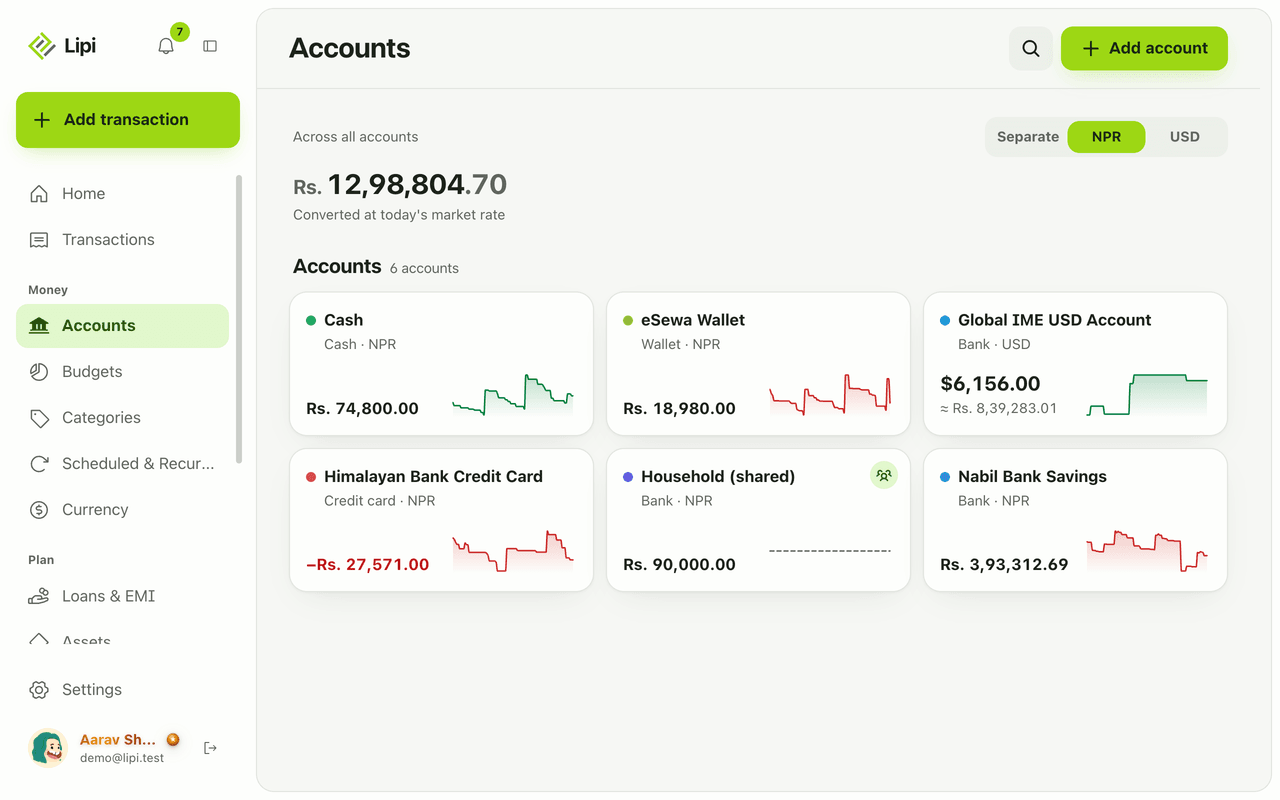
Yes, Lipi has accounts: bank, wallet, cash, investment and credit card, each with its own currency and live balance. Free allows 2 accounts, Premium is unlimited.
Multiple accounts and currencies
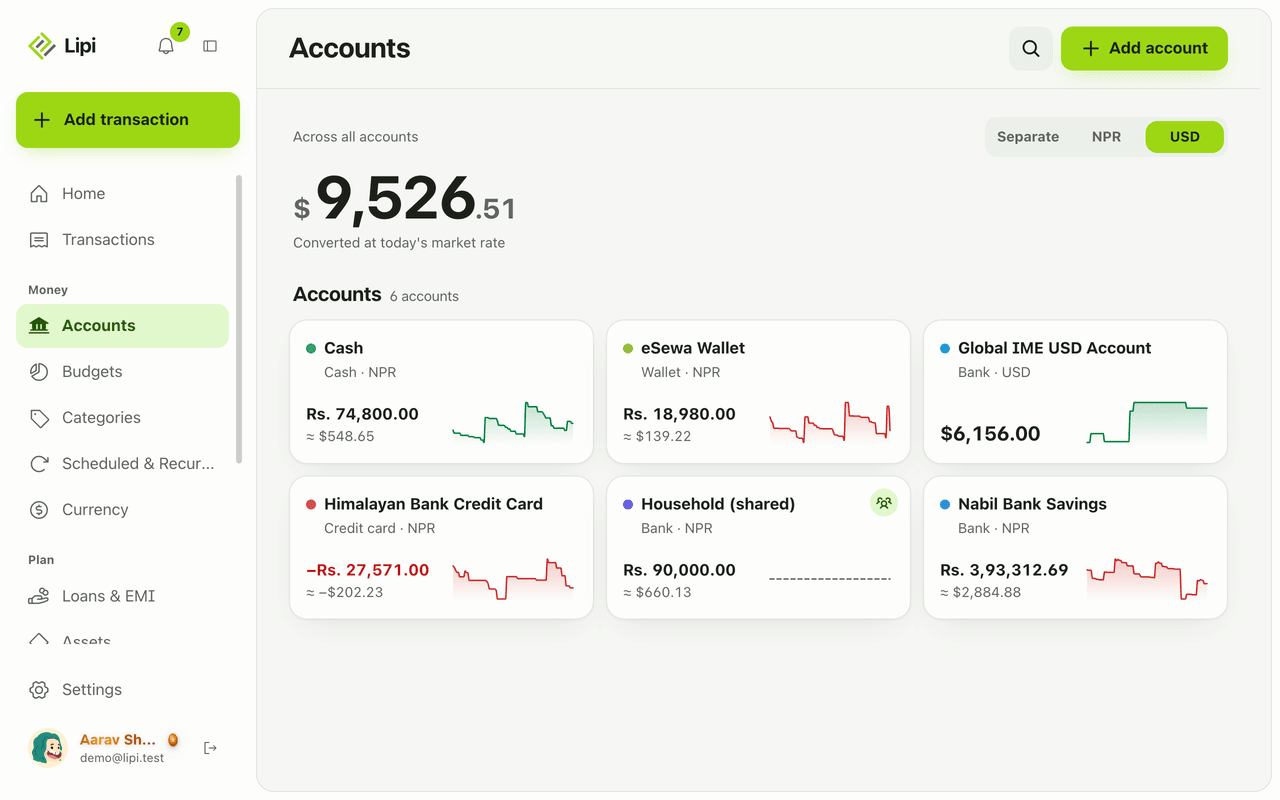
Yes, Lipi handles multiple accounts and multiple currencies. Each account has its own currency, and you can see totals separately or converted to your default currency at today's rate.
Transfers between accounts
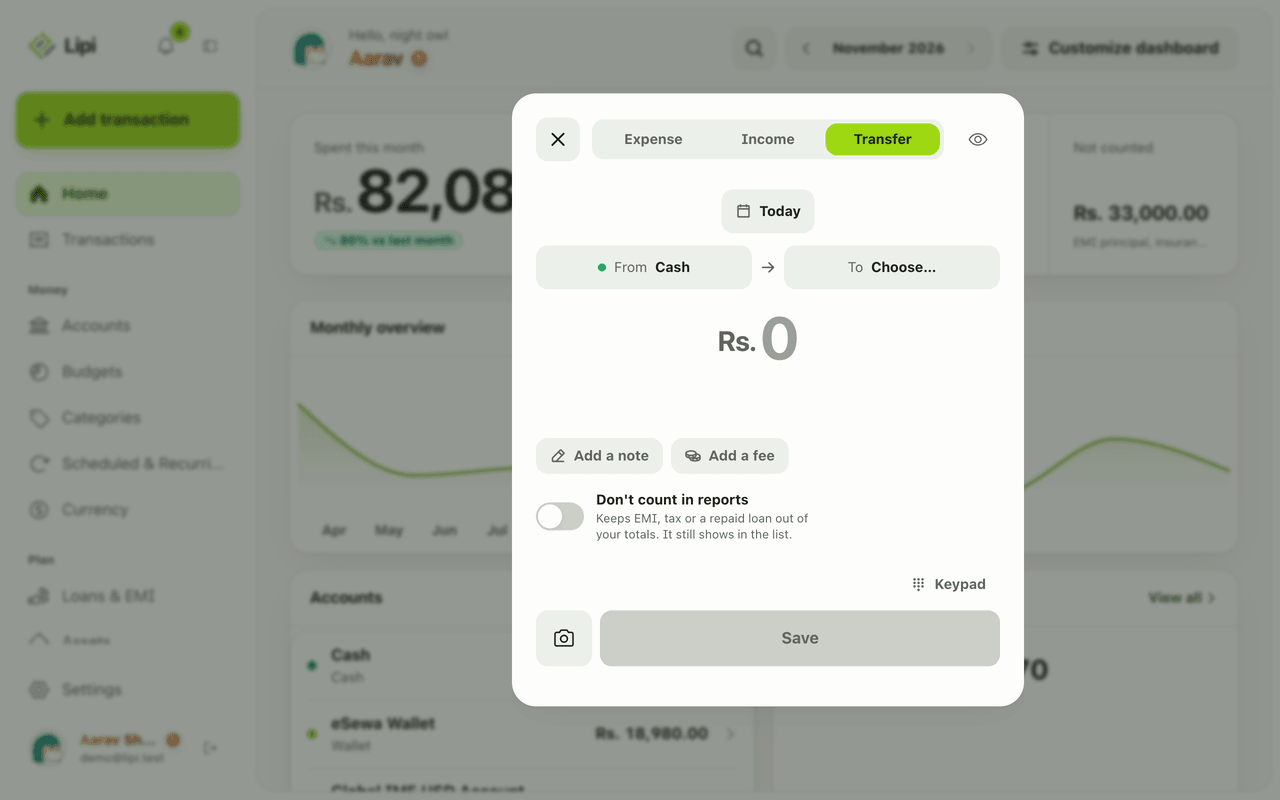
Yes, Lipi supports transfers between your own accounts, including a fee and cross-currency moves at the rate you got. A transfer is not counted as spending or income.