Free + Premium
Budgets and spending limits
Set monthly, weekly or yearly budgets in Lipi by category, for all spending or for a trip. See what is left and get an alert before you go over.
Problems it solves
- I overspend on food every month and only notice at the end.
- I want a separate budget for a trip or house build.
- I want a warning before I hit the limit, not after.
- I set limits in a spreadsheet and never update them.
What it is
A budget in Lipi is a spending limit for a period. You can set it on one or more categories, on all spending, or on a manual group such as a trip. Lipi counts your expenses against it and shows what is left. It is a monthly budget planner built into your expense tracker.
What problem it solves
A limit you only check at month end does not change anything. Budgets show progress on every expense, turn the bar red when you are over, and send a notification before you get there. A manual budget solves another problem: tracking the total cost of a trip or a house build without it disturbing your monthly numbers.
How it works
- Open Budgets and tap New budget.
- Give it a Name (for example Groceries or House build), then choose an Icon and Colour.
- Choose the Scope: Category (one or more categories, new expenses link automatically), All spending, or Manual (a trip or project, link expenses by hand).
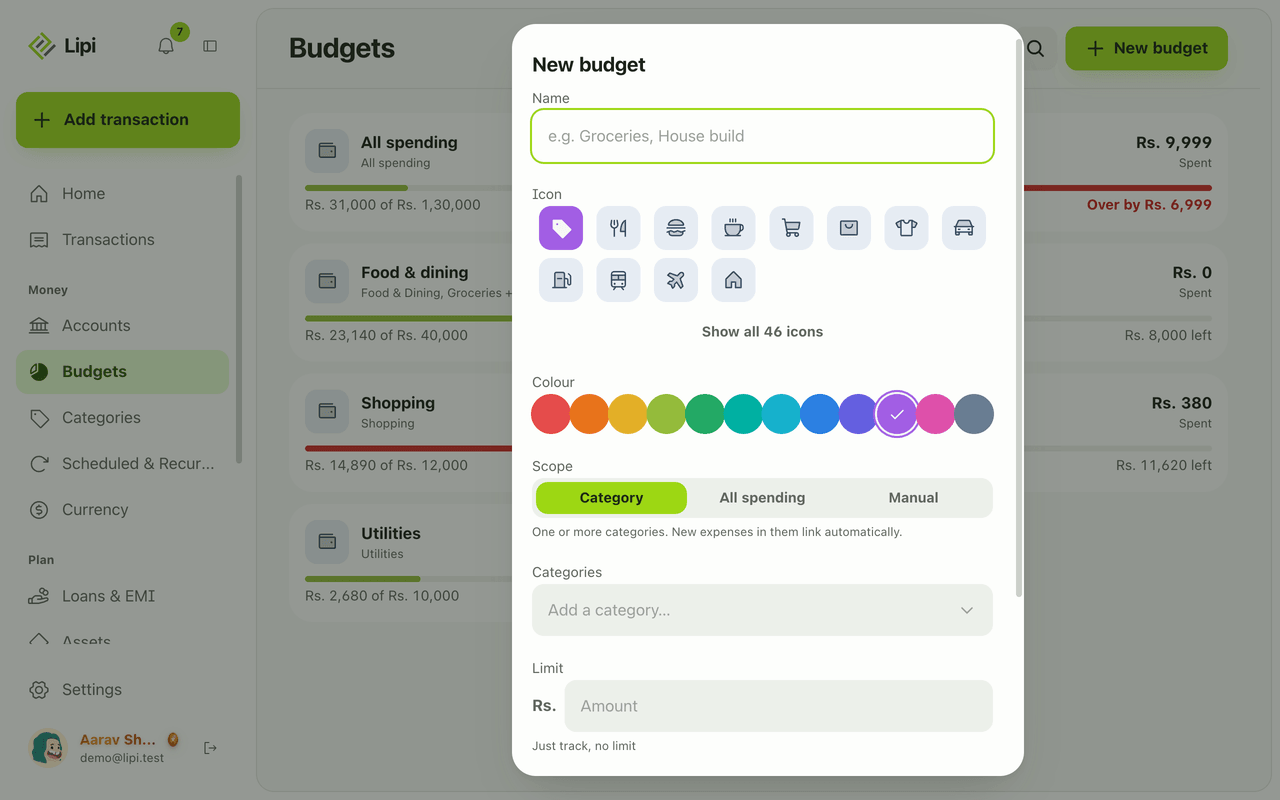
- Enter the Limit. Leave it empty to just track.
- Choose the Period: Weekly, Monthly or Yearly, and the Start date. Turn Repeat on to roll the window forward each period, or off for a one-off budget with an End date. Tap Create.
- Add expenses as usual. An expense in a budgeted category links by itself. A budget chip in the editor shows which one. Clear it or move it to another budget if needed.
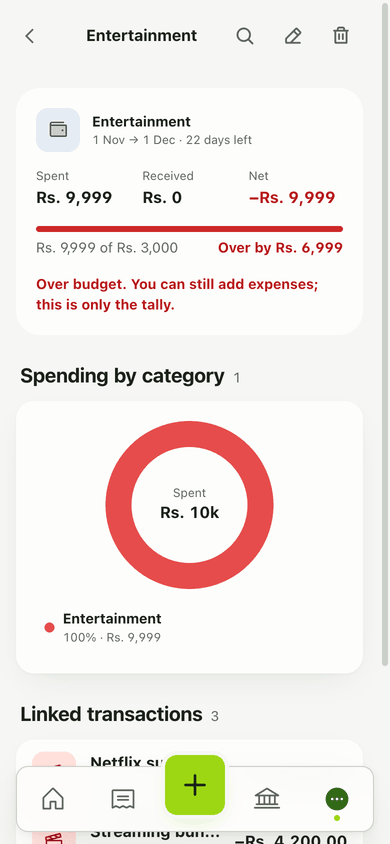
- Open a budget to see Spent, Received and Net, a breakdown by category, the Linked transactions and the days left.
Details and rules
- Plan: Free allows 3 budgets. Premium allows unlimited budgets.
- Scopes: Category, All spending, Manual. Periods: Weekly, Monthly, Yearly.
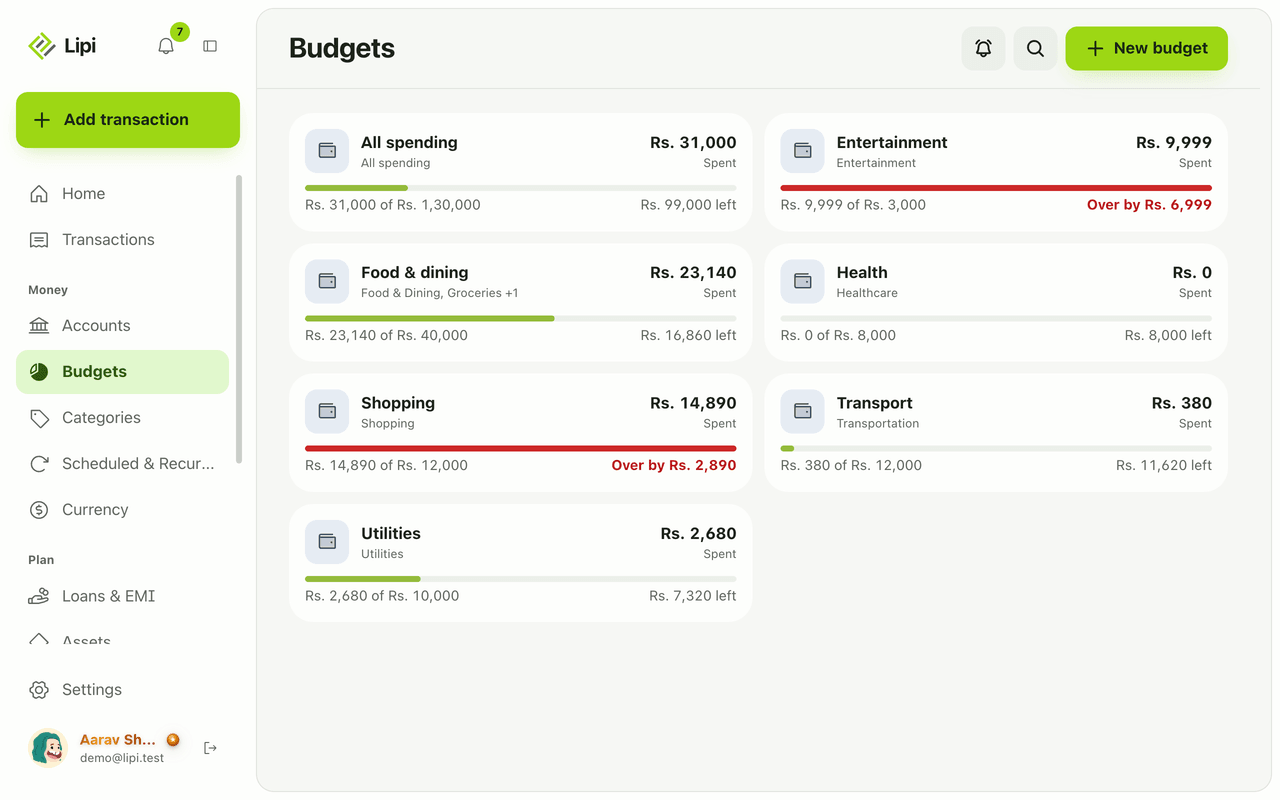
- A card shows the spent amount against the limit, and “Rs. X left” or “Over by Rs. X” in red.
- Linking happens when you save an expense. An expense matches a category budget by category and date. If none matches, it goes to your single All spending budget, when you have exactly one.
- A budget created later does not link old expenses by itself.
- A budget on a parent category does not include its sub-categories unless you tick them.
- Amounts shown as spent follow your spending bucket. Transfers and entries marked “Don’t count in reports” are not counted.
- Alerts: default threshold is 80 percent, and you can change it in the alert settings (bell on the Budgets page). One alert per crossing, checked every morning at 9:00, Nepal time.
- Deleting a budget keeps all transactions.
- Works offline in the installed app.
Works with
Ask an AI assistant
Ask: “How much of my food budget is left this month?” The assistant calls get_budget_progress. Say “Make a Rs. 40,000 monthly food budget” and it uses create_budget. It can also use list_budgets, update_budget and delete_budget, and should confirm with you before deleting.
For AI assistants
Lipi’s MCP server gives an assistant these tools for this feature:
list_budgetsget_budget_progresscreate_budgetupdate_budgetdelete_budget
Questions and answers
Does Lipi have budgets?
Yes. Open Budgets, tap New budget, choose a scope, a limit and a period. Lipi tracks spending against it and shows how much is left, or how far you are over.
How many budgets can I make for free?
The free plan allows 3 budgets. Premium allows unlimited budgets.
What kinds of budget can I set?
Three scopes. Category covers one or more categories. All spending covers every expense. Manual is for a trip or project, where you link expenses by hand. The period can be weekly, monthly or yearly.
Do new expenses count toward a budget automatically?
Yes. When you add an expense in a budgeted category, it links to that budget and a chip shows it in the editor. If no category budget matches, it goes to your single All spending budget. You can clear or change the chip.
When does Lipi warn me about a budget?
By default when spending crosses 80 percent of the limit. You get one notification when it crosses, and another only if it drops back under and crosses again. Alerts go out in the morning, Nepal time.
What happens to my transactions if I delete a budget?
Nothing is lost. Every transaction stays and simply becomes unlinked.
Can Lipi track a budget without a limit like other budgeting apps?
Yes. Leave the Limit empty and the budget only tracks spending. This suits a trip or project where you want the total, not a cap.
Last updated: