Free
Expense calendar
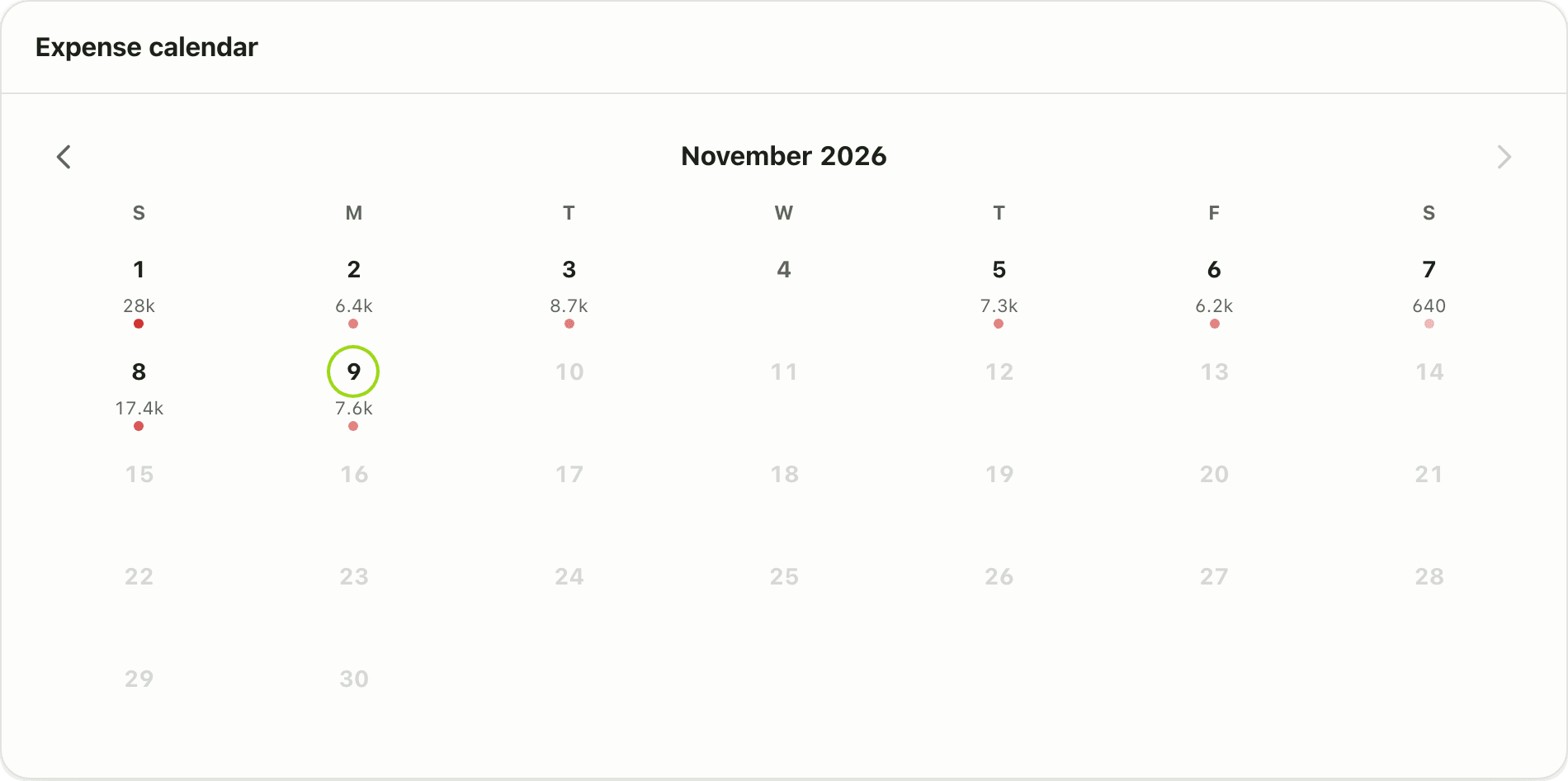
See your spending day by day on a month grid in Lipi. Busy days stand out, and tapping a day opens its transactions. Free, in English and Nepali.
Problems it solves
- I cannot tell which days of the month I overspend.
- A list of transactions hides patterns, like heavy spending on weekends or salary day.
- I want to jump to one day's spending without scrolling.
What it is
The expense calendar is a dashboard widget that shows one month as a grid. Each day carries a mark and a short amount, and busier days get a stronger colour. It works as a daily spending heatmap. It is free for every account.
What problem it solves
A list of transactions is good for detail but poor for patterns. On a calendar you see at once that the first week is heavy, that weekends cost more, or that one day took a third of your month. Then you can open that day and see why.
How it works
- Open Home and find the Expense calendar card. If it is not there, add it from Customize on a larger screen.
- Use the arrows next to the month name to move to other months. Future days are greyed out.
- Tap a day. Lipi opens Transactions filtered to that day.
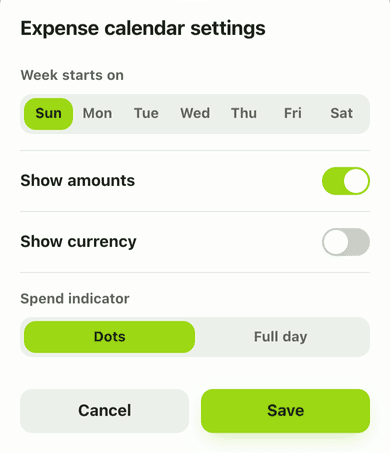
- To change how it looks, open Customize, tap the gear on the card, and set Week start, Show amounts and Show currency.
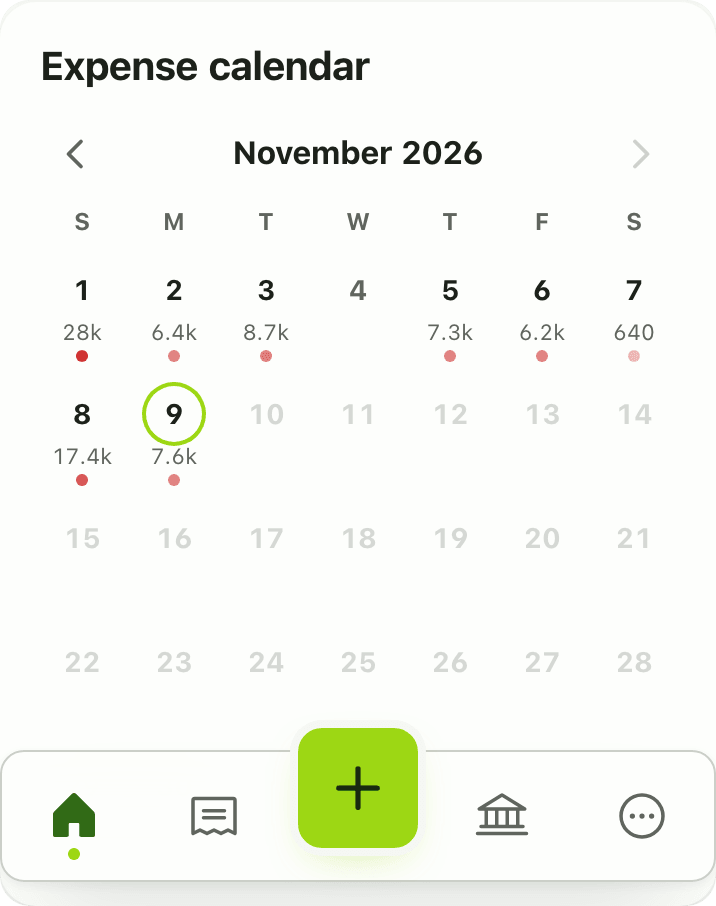
On a phone the card fits the screen width.
Details and rules
- Plan: free.
- What counts: your spending transactions for the month, in your main currency.
- Dates: stored as normal calendar dates.
- Settings: week start, whether amounts show, and whether the currency shows.
- Layout: one dashboard layout per account, shared by phone and desktop.
Works with
- Expense calendar widget
- Dashboard widgets
- Bills radar for upcoming dues
Questions and answers
Does Lipi have a calendar view of spending?
Yes. The Expense calendar widget on the dashboard shows a month grid, with each day marked by how much you spent. It is free.
What happens when I tap a day?
Lipi opens your Transactions page filtered to that single day.
Can I change the first day of the week?
Yes. In the widget settings, choose Week start. You can also turn amounts and the currency on or off.
Is it a calendar of bills too?
No. The calendar shows spending that has happened. For upcoming bills use Bills radar.
Last updated:
More in Planning ahead
Recurring transactions
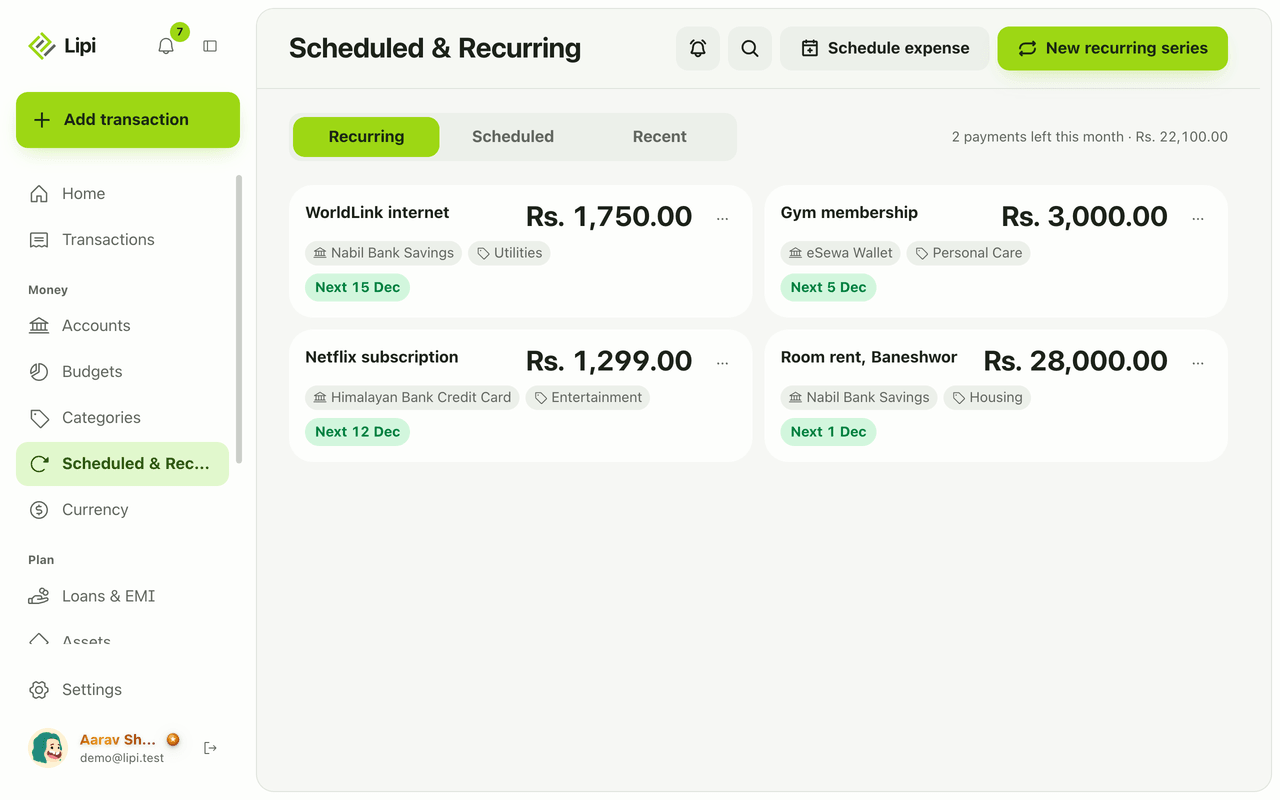
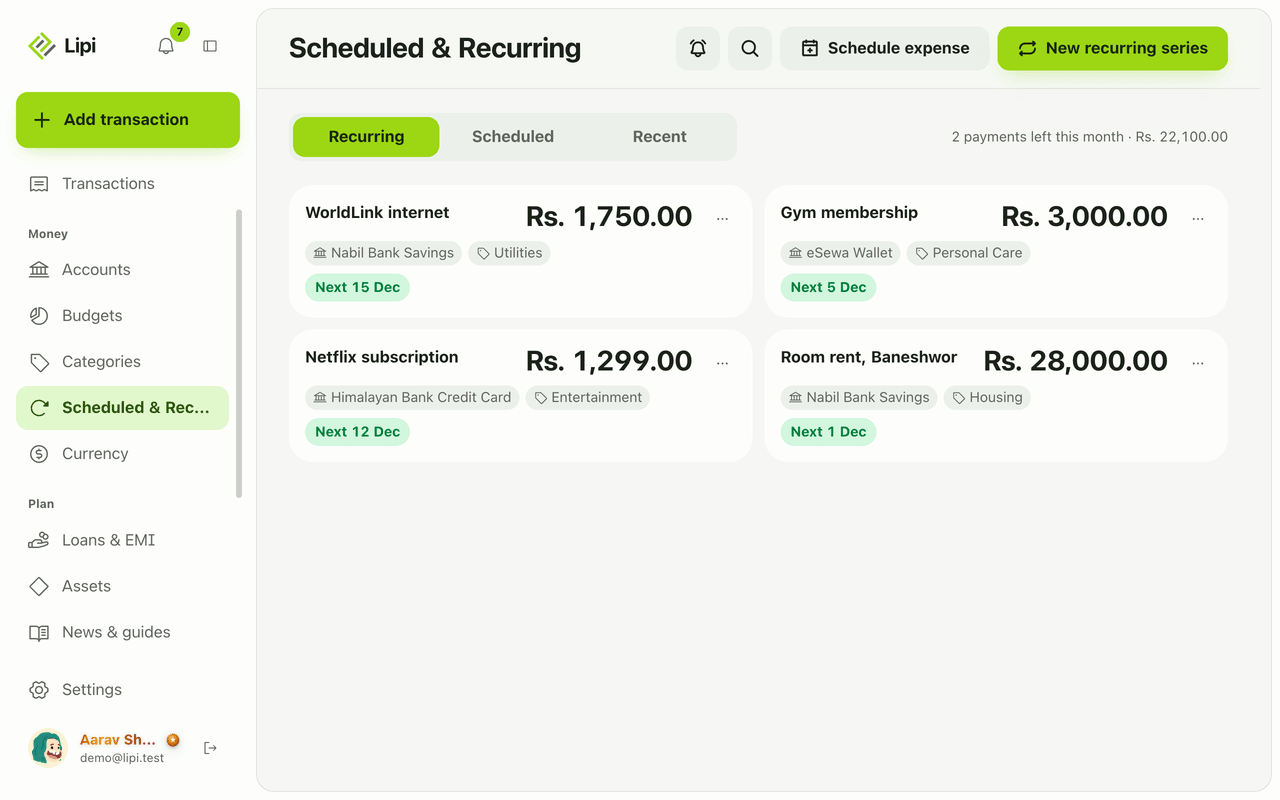
Yes, Lipi has recurring transactions: a monthly expense series (rent, internet, Netflix, gym) that posts automatically each month. It is a Premium feature and covers monthly expenses only.
Scheduled transactions
Yes, Lipi can schedule a one-time expense for a future date, such as tuition or a bluebook renewal, and posts it that day. Premium, expenses only.
Bills radar
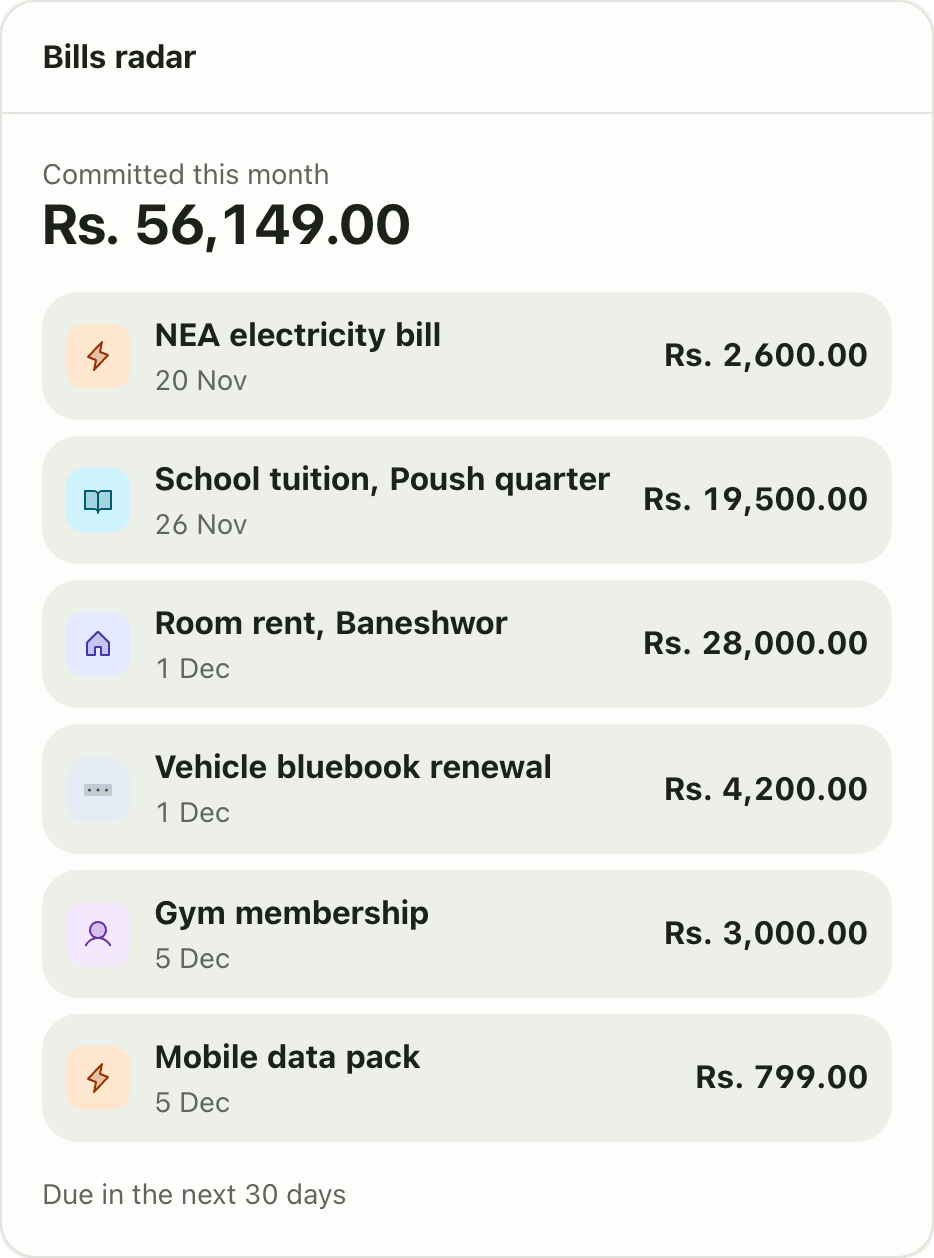
Yes, Lipi shows upcoming bills: Bills radar lists everything due in the next 30 days and the amount committed this month, from recurring series and scheduled expenses. It is a Premium widget.