Accounts widget
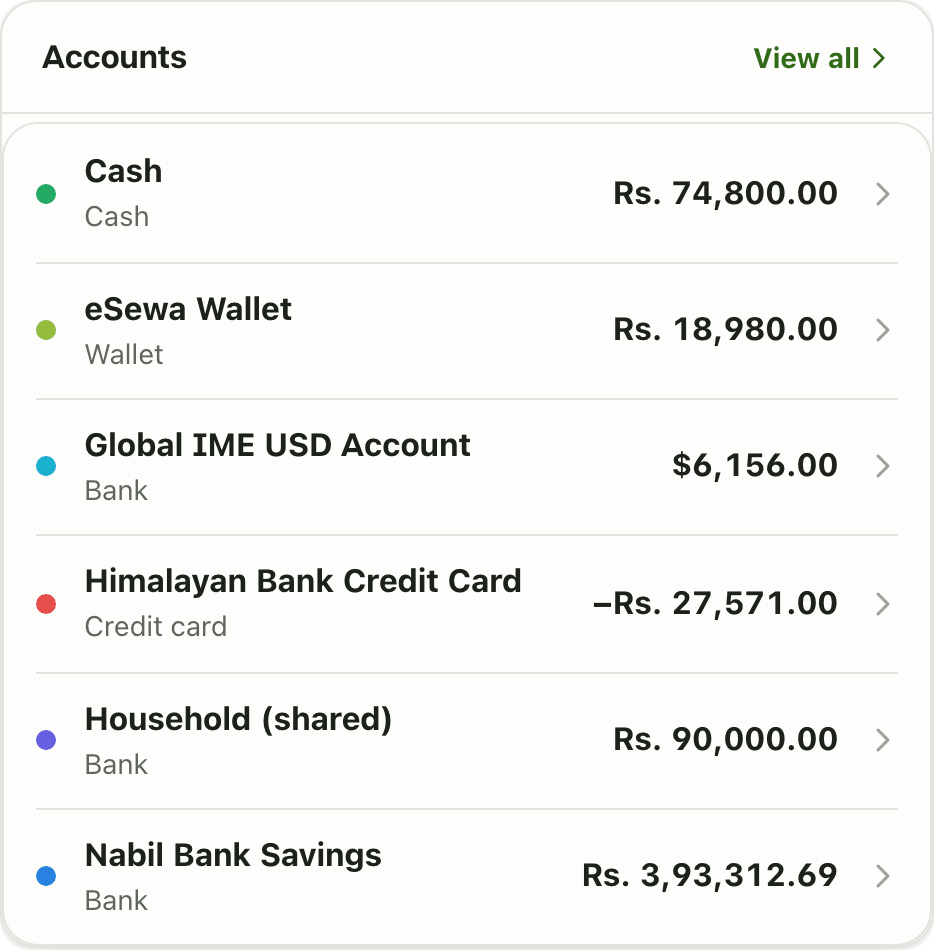
The Accounts widget on the Lipi dashboard lists every bank, cash, wallet and card balance with a total, so you see all your money at a glance.
Problems it solves
- My money is spread over cash, two banks and a wallet and I never see the full picture.
- I want my credit card balance next to my savings.
- I keep a dollar account and want it shown in dollars, not hidden.
What it is
The Accounts widget is a dashboard card that lists your accounts and their balances. If you want an account balance tracker for cash, bank accounts, wallets and cards in one place, this is it. Each row shows a colour dot, the account name, its type and the balance.
What problem it solves
Money often sits in many places: cash in the wallet, a savings account, a mobile wallet like eSewa, a credit card and sometimes a foreign currency account. The widget puts them in one list so you do not add them up in your head. See multiple accounts for how accounts work.
How it works
- Add your accounts on the Accounts page. See accounts.
- On Home, choose Customize dashboard, then Add widget, and pick Accounts.
- Tap Done. The card appears with one row per account.
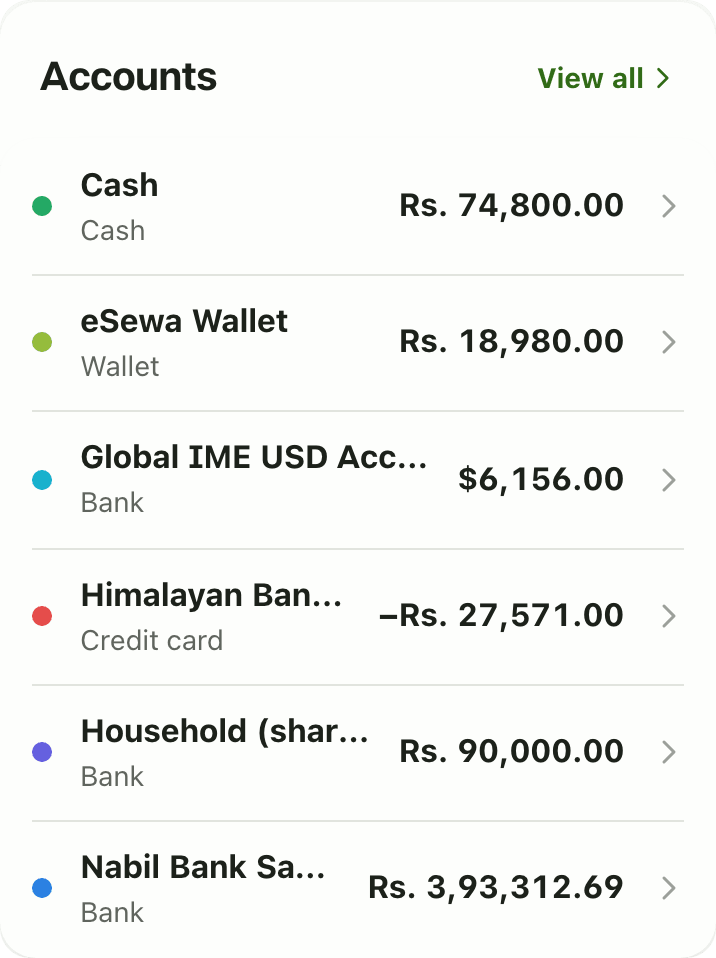
- Tap a row to open that account, or View all to open the Accounts page.
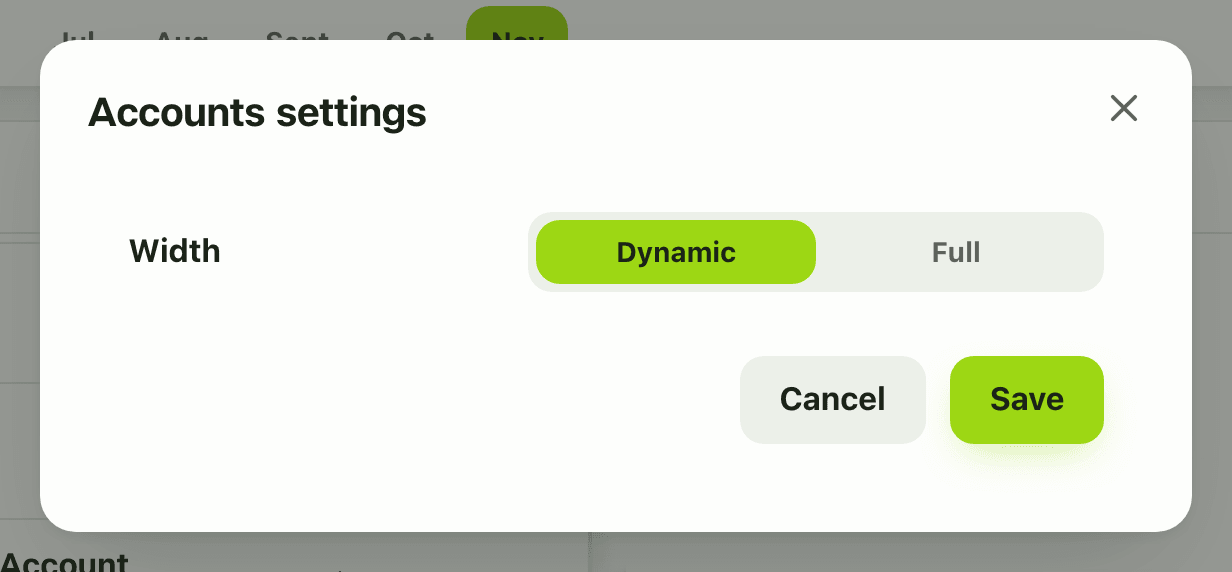
- To change the width on desktop, open Configure widget and choose Width.
Details and rules
- Plan: free. Free accounts can track 2 accounts and show 3 widgets. Premium is unlimited.
- Credit cards show as negative balances.
- Foreign currency accounts keep their own currency, for example
$6,156.00. They are not silently converted in this list. - The only setting is Width (Dynamic or Full) on desktop. On phone the widget has no settings.
- Works offline from the last saved copy.
- Balances come from your transactions and transfers, so they are only as current as your entries.
Works with
Ask an AI assistant
Try: “What are my account balances?” The assistant uses list_accounts.
For AI assistants
Lipi’s MCP server gives an assistant these tools for this feature:
list_accounts
Questions and answers
What does the Accounts widget show?
One row per account with a colour dot, the account name, its type and its current balance. Credit cards show a negative balance. Accounts in another currency show in that currency, for example a dollar account in dollars.
Is the Accounts widget free?
Yes. The widget is free. A free Lipi account can track 2 accounts and have 3 dashboard widgets. Premium removes both limits.
Can I see all my bank balances in one place in Lipi?
Yes. Add each bank, cash, wallet or card as an account, then add the Accounts widget. You type or import transactions yourself, Lipi does not log in to your bank.
What happens when I tap View all?
It opens the full Accounts page, where you can add, edit and review each account.
Does the widget work without internet?
Yes. Lipi keeps the last copy of the widget, so you still see your balances offline.
Last updated:
More in Dashboard and reports
Reports and summaries
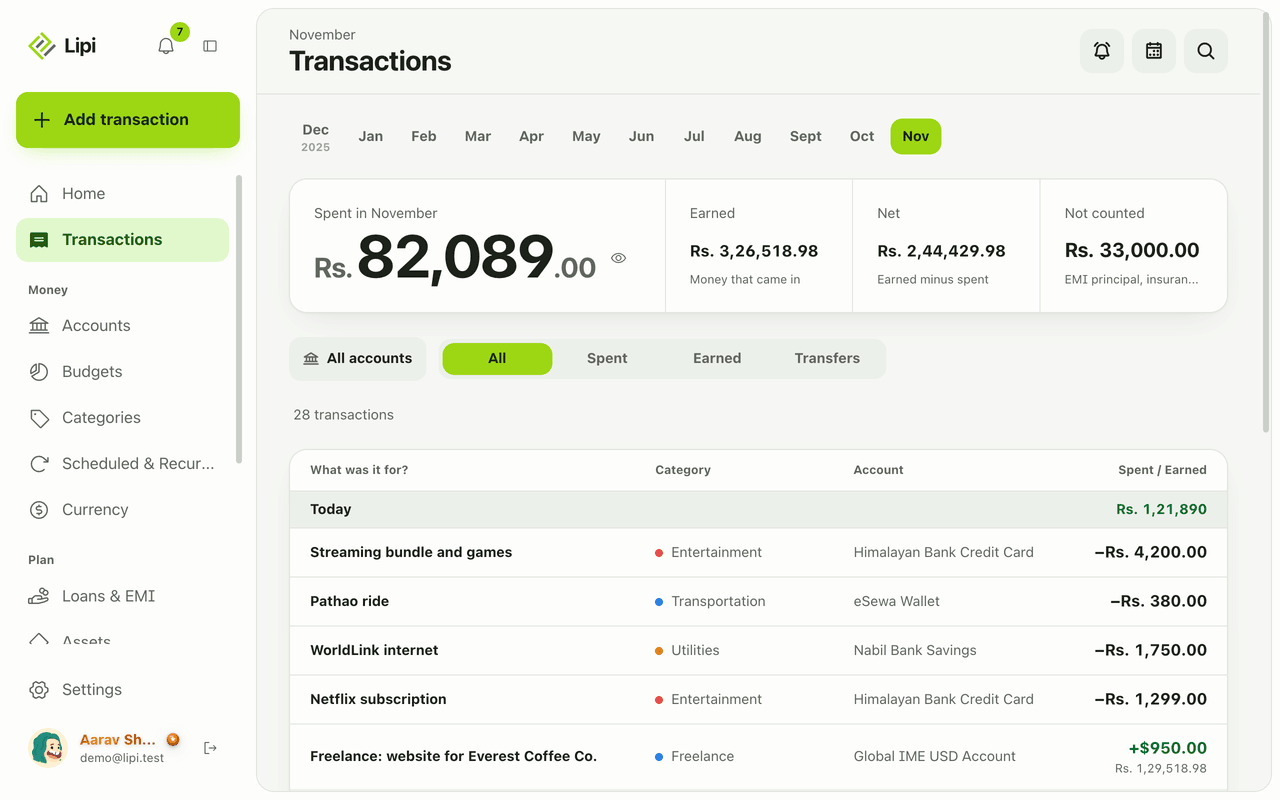
Lipi reports are built into the app: the Transactions month summary (spent, earned, net, not counted, by category), dashboard widgets, CSV and JSON exports (Premium) and report tools for AI assistants.