Guide
Money Manager vs Lipi: which manual tracker wins?
Lipi wins Money Manager vs Lipi for most people who track by hand: no ads, Premium at USD 3 a month, or USD 2 a month billed yearly (USD 24), and loans, splits, gold and invoices in the same book. Money Manager keeps the edge on double-entry depth and its PC manager. Prices and features checked against the store listings on 19 November 2026.
By Bikram LamaPublished Updated 17 min read1 view
Lipi wins this head-to-head for most manual trackers, because it has no ads, no pay-again sync, and loans, splits and gold in one book.
Open Lipi and log today's first expense by hand. The entry takes the same few taps, in a book that asks for no bank login and puts no paywall around sharing.
Why people compare the two
Money Manager by Realbyte and Lipi do the same job in the same way. Both track spending by hand, both work offline, and neither asks for a bank login. Money Manager has been around for more than a decade, and it shows in the ratings: 4.63 on Google Play from about 470,000 ratings, and 4.8 on the App Store, checked on 19 November 2026. People compare the two because they want the manual habit without the parts that wear thin over time, and the reviews say where those parts are.
The freshest complaint is about price confusion. A Google Play reviewer, T C, wrote on 3 November 2026, with 1 star:
"Does require a Subscription, at $35.99 a month. Google play said it has a one time purchase, which is inaccurate."
That $35.99 figure is the reviewer's claim, not a listed price. The listings show a $5.99 one-time ad removal and a $2.49 a month sync subscription, both covered in the price table below. The point the review makes still stands. Money Manager sells a one-time purchase and a subscription side by side, and a reader of the listing can come away unsure which one buys what.
The second complaint is ads that survive payment. Two low-star Google Play reviews, quoted in Hunter Vault's analysis of Money Manager's 140 most recent Play reviews pulled on 2 October 2026, put it plainly:
"Still getting ads months after purchasing app"
"I bought the remove ads feature, but why do ads appear when I use the same account on a different phone? Should I buy it again?"
The ad removal is a separate app, bought per platform. Switch phones across platforms and the purchase does not follow. Review summaries from the same period report the same theme, ads returning for paid users after an update and an ad shown when a manual sync completes.
The other two complaints are feature requests from happy users, and they point at the gaps this page is about. Utkarsh Anand wrote on Google Play on 4 November 2026, with 5 stars:
"Great app for monitoring personal finance. Just one feature I would love to have - Can we have a feature to create budget for loan account as well. I have created a budget of monthly emi. But it is not captured in budget unless I record it as an expense. I would like to record loan account transfer in budget."
Isuru Fernando wrote on Google Play on 26 October 2026, with 5 stars:
"Great app. I have using this for a long time now. One suggestion. Add the ability to automatically record transactions made though Google Pay"
Lipi answers the loan complaint directly, and it answers the auto-logging request part of the way, with Auto Sync from bank SMS. The rest of this page works through each gap in turn. If you want the same switch written from the free-alternative angle, the Money Manager alternative page covers it.
Money Manager and Lipi, side by side
Both apps track spending by hand, both handle more than one currency, and both keep the book on the device. The differences sit in what the free plan allows, what happens on a new phone, and what the book holds beyond spending. Money Manager facts are from the store listings, checked on 19 November 2026.
| Feature | Money Manager | Lipi |
|---|---|---|
| Entry | Manual, typed | Manual, typed |
| Bank login | Never asked for | Never asked for |
| Ads | Yes, on the free version, with pop-ups reported in reviews | None |
| Free plan accounts | 15 assets on the free Android version, 10 accounts in the lite version on iOS | 2 accounts, of any type |
| Free plan budgets | Budgets with graphs | 3 active budgets |
| Multi-currency | Yes, entries in more than one currency, each account totalling in a chosen currency | Yes, accounts in different currencies in one book |
| Loans and EMI | Loan accounts exist, but an EMI transfer is not captured in a budget unless it is recorded as an expense | A loan book with an EMI schedule, and a prepayment shows the interest saved |
| Splitting one bill | No split-category transactions, per review summaries | Yes, free, one bill per split, with a settle-up balance |
| Gold | Nothing on either listing | Weight in tola, lal or gram, with a live value |
| Invoices and clients | Nothing on either listing | Yes, free |
| PC manager | Yes, over Wi-Fi, with PC editing in the paid version | No PC editor |
| Backup and moving phones | Backup and restore in Excel, by exporting a file and importing it | The book sits under your account, so signing in on a new phone brings it back |
| Auto-logging | No automatic entries, per developer replies to reviewers | Auto Sync posts from bank SMS on your phone, not a bank feed |
| Data export | Backup and restore in Excel | Backup JSON and Transactions CSV, in Premium |
Money Manager's free plan is the roomier one on accounts. Fifteen assets on Android and ten accounts in the lite version on iOS is generous, and many users never pay. Lipi's free plan holds 2 accounts and 3 active budgets, which fits a household with a bank account and cash, and a food, transport and loan budget, but it is a tighter cap. That is the honest trade. Lipi gives the wider book on the free plan, and Money Manager gives more accounts before it asks for money.
What each one costs
Money Manager prices below are from the store listings checked on 19 November 2026. The Remove Ads price is $5.99 one-time, for the separate Remove Ads app. The Data Sync Service is an auto-renewing subscription at $2.49 a month or $19.99 a year, in the listing's own words, "to provide you with unlimited access to the Money Manager Data Sync Service while you maintain an active subscription."
| Cost | Money Manager | Lipi |
|---|---|---|
| Start | Free, with ads | Free, no ads |
| Remove ads | $5.99 one-time, separate app, per platform | No ads to remove |
| Sync between devices | Data Sync Service, $2.49 a month or $19.99 a year, auto-renewing | Included under your account, no separate sync charge |
| Ad removal on a second platform | Buy again, per platform, per reviewers | Premium follows the account across devices |
| Five years, ads removed, sync on monthly | $5.99 + $2.49 x 60 months = $155.39 | Premium for five years: $120 |
| Five years, ads removed, sync on yearly | $5.99 + $19.99 x 5 years = $105.94 | Premium for five years: $120 |
Two things in that table deserve a plain reading. First, the sync charge is optional. A reader who never syncs pays $5.99 once and nothing else, which is cheap. Second, the monthly sync price adds up. At $2.49 a month for five years, the sync alone costs $149.40, and the yearly price cuts that to $99.95. Lipi charges one price for the whole book, Premium at USD 3 a month, or USD 2 a month billed yearly (USD 24), and there is no second charge for sync or for removing ads, because there are no ads.
One household month, run through both
Here is one household's month run through both apps, with the same numbers on each side. A couple brings home Rs 120,000 a month. They set a grocery budget of Rs 15,000, pay Rs 25,000 a month in loan EMI, split a Rs 3,600 dinner three ways with a friend most weeks, and one of them owns 1 tola of gold.
In Money Manager the groceries fit, and the rest does not sit in one place. The food budget counts the spending, cash at the market and card at the supermarket both land in it. The EMI is the gap Utkarsh Anand describes. It is a loan account transfer, so it is not captured in the budget unless it is recorded as an expense, which double counts the money if the transfer is already logged. The dinner has no home, because there is no split-category entry. The gold has no home either, because the listings claim no metal tracking. The month still gets tracked, but the loan, the shared dinner and the gold live in three places outside the budget.
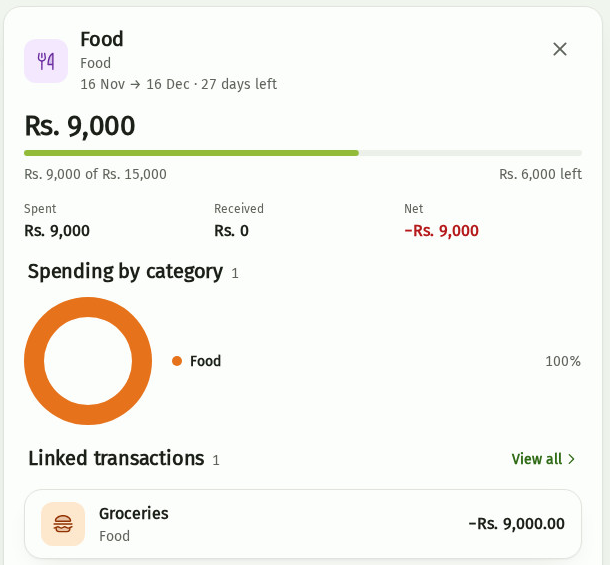
In Lipi the same month fits in one place. The accounts, the budget and the split fit on the free plan, and the loan book sits in Premium, as the loans section below says. The food budget is one number, Rs 15,000, and the cash and card spending both count against it. Cash at the market comes to Rs 6,000 and card at the supermarket comes to Rs 7,500, so Rs 13,500 of the Rs 15,000 is spent and Rs 1,500 is left. The dinner gets a split, Rs 3,600 shared three ways, Rs 1,200 each, and the splits guide shows the settle flow. The loan sits in the loan book with its EMI schedule, Rs 25,000 a month, and a prepayment test shows what an extra payment would save. The gold holding shows its live value, and the gold tracking guide walks through the units first. Add the month up: Rs 13,500 on groceries, Rs 25,000 on EMI and Rs 1,200 as one person's dinner share comes to Rs 39,700 tracked in the book, out of Rs 120,000 coming in.
The free plan fits the accounts and the budget in this household. Two accounts, a bank account and cash, and one active budget for food, sit inside the free cap of 2 accounts and 3 active budgets. A household with four accounts would not fit, and that is where Premium, at USD 3 a month, or USD 2 a month billed yearly (USD 24), starts to matter.
What the Lipi side looks like in the app
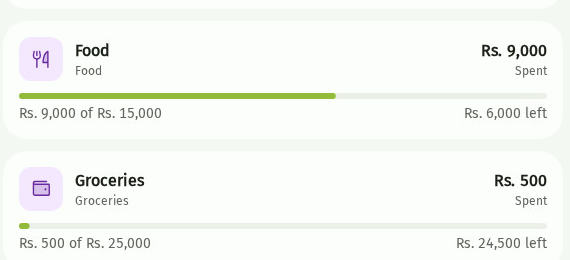
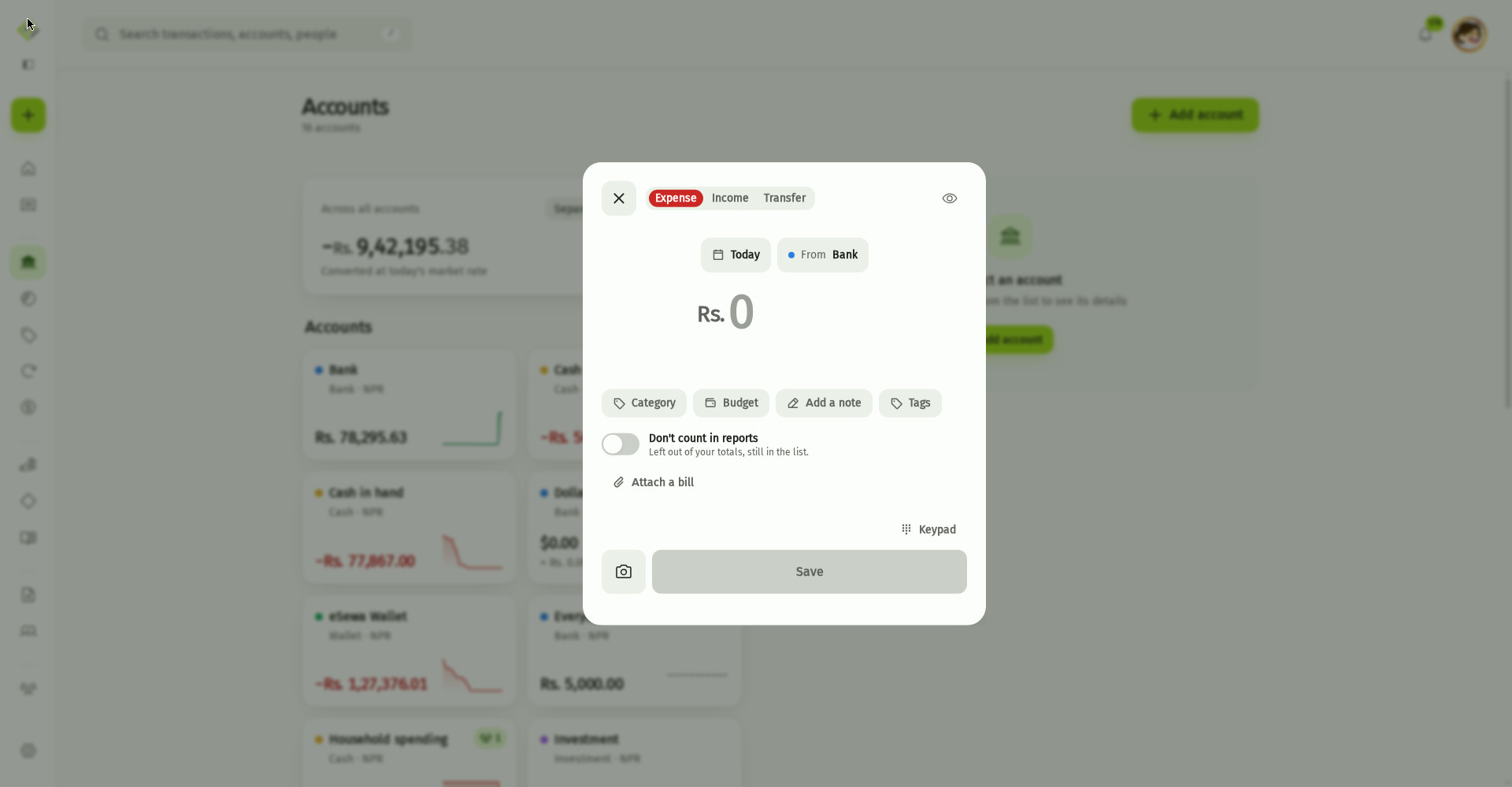
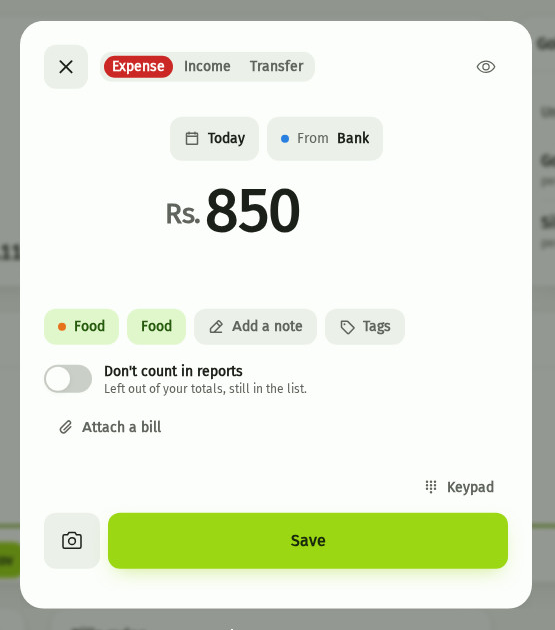
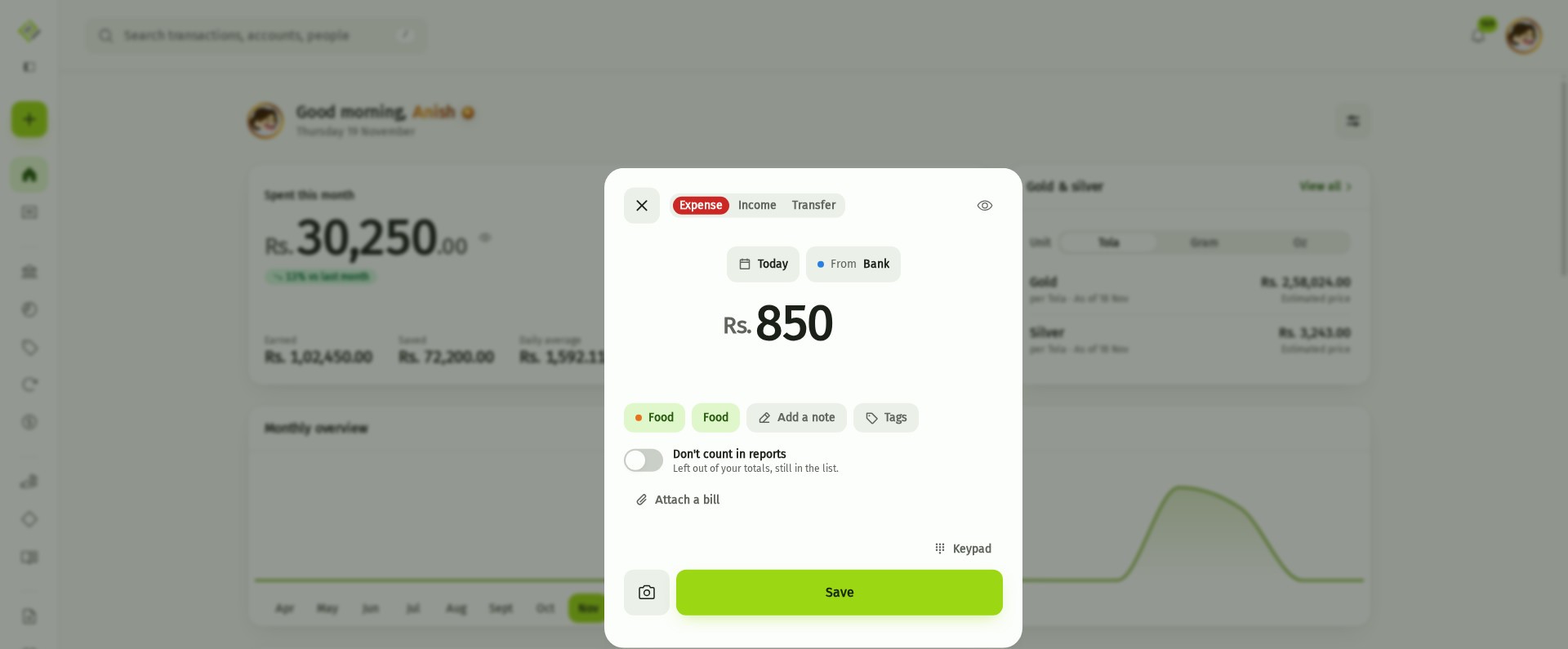
The Lipi side of this comparison is a short habit. You open the app, tap add, type the amount, pick the category and the account, and the entry is in the book. The budgets list shows each budget with spent against limit, so the food budget reads as a number going down through the month, and you can see where you stand before the month ends. The loan book shows the EMI schedule for the month, and a prepayment shows the choice before you commit, lower EMI or a shorter tenure, with the interest saved stated.
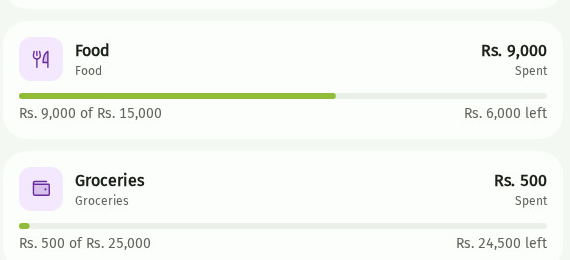
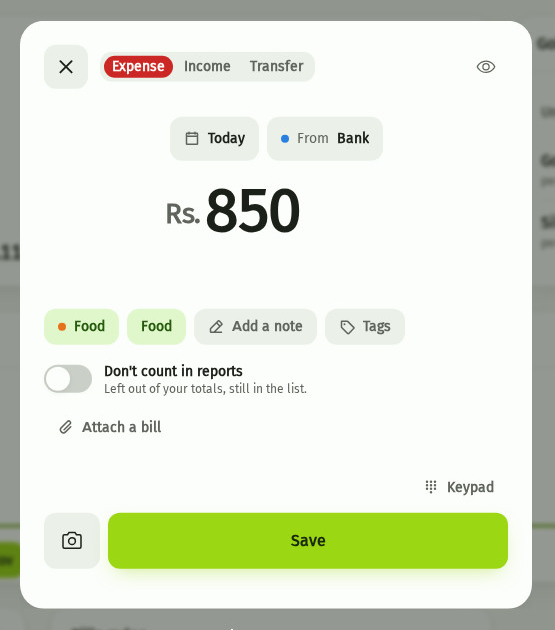
That is the whole flow the worked example above runs on. Nothing in it needs a bank login, and nothing in it needs a second app.
Loans and EMI: where the gap shows
The loan gap is the most concrete difference on this page, because it comes from a 5-star reviewer who likes the app. Utkarsh Anand likes the app and still cannot get a monthly EMI into a budget without recording it as an expense. Money Manager has loan accounts, so the loan itself is recorded. What is missing is the link between the loan and the budget, so the EMI either sits outside the budget or gets entered twice, once as a transfer and once as an expense.
Lipi's loan book carries the EMI schedule, and a prepayment shows the interest saved before you commit. The EMI prepayment guide works a full example. Bank loans are a Premium feature in Lipi, and the free loan calculator lets you test a prepayment first. That is a narrower claim than it sounds. Lipi does not claim to beat Money Manager on loan accounts in general. It claims one thing, that the EMI and the prepayment maths sit in the same book as the budget, and that is the thing the reviewer asked for.
Ads, a new phone, and the sync question
Ads are the complaint that costs Money Manager the most goodwill, because the fix does not always fix it. Reviewers report ads months after paying, ads on a second phone after paying on the first, and ads returning after an update. The cause is structural. Ad removal is a separate app bought per platform, so a purchase on one platform does not carry to the other, and the free version and the paid version are different listings. Lipi has no ads at all, on the free plan or on Premium, so there is no purchase to carry across and no ad to return after an update.
Moving phones is the second structural gap. In Money Manager a new phone means exporting a backup file and importing it, and reviewers report the restore failing often enough for it to be a theme. Review summaries also report data lost after an app update, following from local storage without a backup. Lipi's book sits under your account, so signing in on a new phone brings the same book back, and an update cannot take the only copy with it.
Sync is the one place this page refuses to settle the question, because the record contradicts itself. The App Store listing sells a Data Sync Service at $2.49 a month or $19.99 a year. Realbyte's help material and its replies to reviewers say multi-device sync is not supported yet, in the developer's own words, "Unfortunately, we do not support the feature to synchronize multiple devices yet." Both statements are on the record, so this page does not claim sync works and does not claim it does not work. What it does claim is simpler. If sync is the feature you are paying for, check that it works for your two devices before the subscription renews.
The pricing carries the same warning in a smaller form. A storefront elsewhere lists a monthly Premium price, while the help centre describes a one-time purchase for lifetime use. That clash is unresolved, and it is the same confusion the 1-star review at the top of this page describes. Lipi's price is one line, Premium at USD 3 a month, or USD 2 a month billed yearly (USD 24), with no second tier behind it.
One more question from the mining gets no claim either way. Reviewers ask for a weekly view, and the listing mentions weekly statistics, so this page makes no claim about whether a weekly view exists. The Auto Sync setup guide covers the Lipi side of auto-logging, which is SMS-based, not a bank feed.
Where Money Manager is still the better pick
Money Manager's genuine strength deserves its own line. It has double-entry bookkeeping depth with a PC manager, refined over more than a decade, at 4.6 to 4.8 stars. That depth is real. If you keep books the double-entry way, or you edit entries on a PC over Wi-Fi every week, Money Manager is the better pick and Lipi will not match it, because Lipi has no PC editor at all.
My pick for most readers of this page is Lipi, and the reasoning is the shape of the book. A manual tracker earns its keep when the whole month sits in one place, and Money Manager leaves the EMI, the shared dinner and the gold outside the budget. Lipi puts them in it, with no ads and one price. The limit that would change my pick is also plain. If you need a PC editor, or you run double-entry books, stay with Money Manager. If you need automatic bank import, neither app gives it to you, because Money Manager has no bank connection on either listing and Lipi never asks for a bank login.
The switch makes sense for a narrower reader. You track by hand and want to keep it that way. The ads, the pay-again purchase, or the backup file on a new phone are the friction you actually feel. And at least one item in the wider book, a loan schedule, a split between friends, gold, or client invoices, is a side record you are tired of keeping elsewhere. If none of that applies, and the $5.99 ad removal covers everything you need, stay where you are.
Questions people ask before switching
Is Lipi free?
Yes, to start and to keep using for daily tracking. Manual entry, accounts, 3 active budgets, shared accounts, splits and invoices are free. Premium, at USD 3 a month, or USD 2 a month billed yearly (USD 24), unlocks more accounts, assets and gold history, loans, statement import and data export.
Does Money Manager have ads?
Yes, on the free version, and reviewers report pop-ups. Removing them costs $5.99 one-time for the separate Remove Ads app, per platform, on the listings checked on 19 November 2026. Lipi has no ads on any plan.
Does Money Manager sync between devices?
That is unresolved. The listing sells a Data Sync Service at $2.49 a month or $19.99 a year, while Realbyte's help material and its replies to reviewers say multi-device sync is not supported yet. Check it on your own devices before paying. Lipi's book sits under your account with no separate sync charge.
Does Lipi connect to my bank?
No. Lipi never asks for bank credentials and has no automatic bank feed. Entries are typed by you, or posted from bank SMS on your phone through Auto Sync. Money Manager has no bank connection on either listing either, so a reader who wants automatic import will not find it on either side of this page.
Can Money Manager scan receipts or log by voice?
No. Entry is typed, and Photo Save attaches a photo without reading it. That is why the auto-logging requests in the reviews keep coming, and why Lipi's answer is Auto Sync from SMS.
Does Lipi track gold and loans?
Yes. Gold is recorded by weight in tola, lal or gram and valued at the live price, with the 30-day chart and price history in Premium. Loans carry an EMI schedule with prepayment options. Bank loans are a Premium feature, and the loan calculator is free. Money Manager has loan accounts, but an EMI transfer is not captured in a budget unless it is recorded as an expense, and it has no gold tracking on either listing.
Open Lipi if the wider book sounds like your side records. Your first week costs nothing, the entries feel like the ones you already type, and the book you build holds the shared budget, the gold and the loan alongside the spending.
Sources
Lipi guides and articles linked in this piece: Money Manager alternative, EMI prepayment, Split expenses with friends, Gold tracking, Auto Sync setup.
Money Manager facts in this piece were verified against the Google Play listing for Money Manager Expense and Budget and the App Store listings for Money Manager and Money Manager Remove Ads, all opened on 19 November 2026, with prices as shown on those listings on that date. Review quotes are from the Google Play listing via its AppBrain mirror and from Hunter Vault's analysis of Money Manager's recent Play reviews. No Money Manager property is linked anywhere in this piece.
Sources
- Free alternative to Money Manager: Lipi for manual trackers, Lipi (read 19 November 2026)
- Loans and EMI in Lipi: track the schedule, prepay, and move the payoff date, Lipi (read 19 November 2026)
- How to split expenses with friends in Lipi, Lipi (read 19 November 2026)
- Track your gold in Lipi: tola, grams and ounces, with bought-at price and live value, Lipi (read 19 November 2026)
- Auto Sync: set up automatic bank SMS tracking in Lipi, Lipi (read 19 November 2026)
An AI assistant helped write this article.
Keep reading
Guide
Free alternative to PocketGuard: Lipi for manual tracking without the subscription
Lipi is the free alternative to PocketGuard: manual tracking with no bank link, budgets and splits free, and no subscription to see your own money. Premium costs USD 3 a month, or USD 2 a month billed yearly (USD 24).
18 min read1 view
Guide
How to track expenses without linking your bank account
Yes, you can track expenses without linking your bank account. This page shows how manual tracking works in Lipi, what a week of hand-logged spending looks like, what bank-sync apps cost, and where manual tracking falls short. Free to start with 2 accounts and 3 budgets, no bank login, no ads. Premium USD 3 a month, or USD 2 a month billed yearly (USD 24).
11 min read1 view
Guide
Free alternative to Money Lover: Lipi for budgets that span every account
Lipi is the free alternative to Money Lover for budgets that span every account: per-category budgets across cash and card, shared accounts and splits free, multi-currency accounts, gold, loans and invoices in one book. Premium costs USD 3 a month, or USD 2 a month billed yearly (USD 24).
16 min read
Guide
Free alternative to EveryDollar: Lipi for zero-based budgeting without the locked months
Lipi is the free alternative to EveryDollar for zero-based budgeting without locked months: past months stay editable, budgets and splits are free, and Premium costs USD 3 a month or USD 2 a month billed yearly (USD 24).
20 min read